
LinkedIn SSI Score: What It Is and How to Improve It

Your LinkedIn Social Selling Index (SSI) scores four behaviors out of 100 — building a brand, finding people, sharing insights, and building relationships. It's a free diagnostic for your LinkedIn content strategy, not a vanity metric to obsess over. Improve the four habits and the score follows.
Most people stumble onto their SSI score by accident, see a number like 58, and have no idea whether that's good or a problem. The LinkedIn Social Selling Index is a free, daily-updated score from 0 to 100 that rates how you show up on the platform — and it's one of the few honest mirrors LinkedIn gives you for free.
This post breaks down what SSI actually measures, how to find yours, and a simple 30-day plan to move each part of it. We'll also cover where SSI is genuinely useful for shaping a linkedin content strategy — and where it quietly misleads you.
What Does the LinkedIn Social Selling Index Actually Measure?
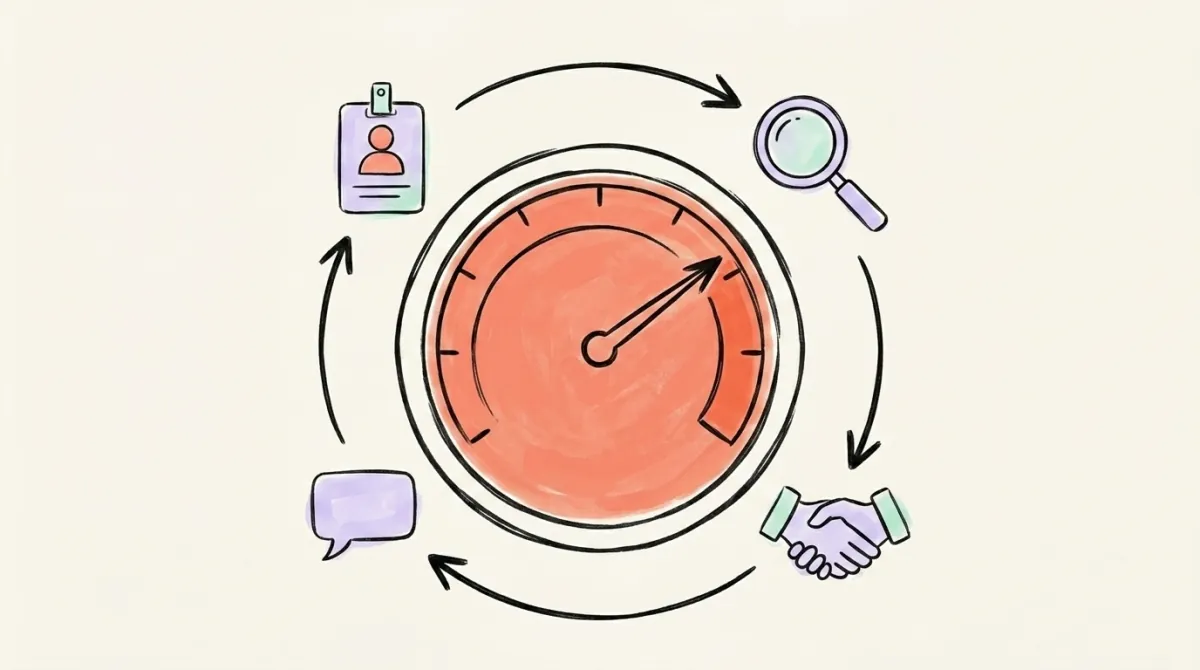
The LinkedIn Social Selling Index (SSI) is a score from 0 to 100 that measures how effectively you use LinkedIn across four areas: building your professional brand, finding the right people, engaging with insights, and building relationships. It updates daily and reflects roughly your last 90 days of activity, then benchmarks you against your industry and your own network. It was originally built for Sales Navigator users to gauge social-selling effort, but anyone with a LinkedIn account has a score — you don't need a paid plan to see it. Think of SSI as a fitness tracker for your LinkedIn habits: it doesn't measure whether you're "good," it measures whether you're consistently doing the things the platform wants you to do. That distinction matters, because a high score reflects activity and effort, not necessarily revenue, reach, or genuine influence. It's a diagnostic, not a verdict.
The score breaks into four pillars, each worth a maximum of 25 points. Add them up and you get your total out of 100. Because each pillar is capped at 25, a lopsided profile — great at posting, terrible at connecting — shows up immediately as an uneven breakdown.
What Are the 4 SSI Pillars (Each Worth 25 Points)?
SSI splits into four equally weighted pillars worth 25 points each: Establish your professional brand, Find the right people, Engage with insights, and Build relationships. Each one maps to a different LinkedIn behavior, so your breakdown tells you exactly where you're strong and where you're leaving points on the table. Most people are wildly uneven — they might score 22 on brand because their profile is polished, but 9 on relationships because they never send personalized connection requests. The fastest way to raise your total isn't to grind harder at what you're already good at; it's to find your weakest pillar and fix the easy wins there. A profile sitting at 70 total almost always has one pillar dragging the rest down, and closing that single gap raises your total faster than anything else.
Here's what each pillar tracks:
- Establish your professional brand (0-25): Profile completeness, a professional photo, a clear headline, and publishing content that builds authority. This is the pillar your LinkedIn content strategy most directly feeds.
- Find the right people (0-25): Using search and filters to find prospects, viewing profiles, and identifying the right connections — not just collecting anyone.
- Engage with insights (0-25): Commenting thoughtfully, sharing useful posts, and joining conversations that add value rather than noise.
- Build relationships (0-25): Sending personalized connection requests, maintaining a healthy acceptance rate, and nurturing your network over time.
Profile analysis
See how your profile really scores
Postory analyzes your X, Threads or Bluesky profile and shows exactly what to fix to get more reach. Audits run on credits, bought in packs.

How Do You Find Your SSI Score?
You can check your SSI score for free in under a minute by visiting linkedin.com/sales/ssi while logged into your LinkedIn account. You don't need Sales Navigator or any paid subscription — the dashboard loads your current total out of 100, breaks it into the four pillars, and shows two benchmarks: how you compare to others in your industry, and how you rank within your own network. Both benchmarks are shown as percentile rankings, so you can see at a glance whether you're in the top quarter of your peers or the bottom half. The page also shows a small trend line, so if you've been more active lately you'll watch the number creep up over the following weeks. Bookmark the link and check it monthly — not daily. SSI moves slowly because it reflects a rolling 90-day window, so checking every morning just trains you to chase a number instead of building real habits.
When you open the dashboard, look past the big total number first. The four-pillar breakdown is where the useful information lives. Scan for the pillar with the lowest score — that's your highest-leverage fix and where the next section's 30-day plan should focus first.
How Do You Improve Each SSI Pillar in 30 Days?
You improve your SSI score by working the four pillars deliberately over about 30 days, since the score reflects a rolling 90-day window and won't jump overnight. The most reliable approach is to pick your two weakest pillars from the dashboard and build small daily habits around them rather than trying to max out all four at once. Consistency beats intensity here — ten minutes a day for a month moves the score far more than one frantic weekend of profile edits and connection requests. Below is a pillar-by-pillar plan you can run as a simple checklist. None of it requires a paid plan, and most of it overlaps neatly with the habits that grow a real audience anyway, which is the whole point: SSI rewards the same behaviors that a healthy linkedin content marketing routine already produces.
Establish your professional brand:
- Complete every profile section — photo, banner, headline, about, experience.
- Rewrite your headline to describe who you help, not just your job title.
- Publish 2-4 posts a week mixing useful insights with conversation starters.
- Ask two clients or colleagues for recommendations.
Find the right people:
- Run a few targeted searches each week using filters like role, industry, and location.
- View the profiles of relevant prospects and peers.
- Follow hashtags and people in your niche so the right content reaches you.
Engage with insights:
- Leave 3-5 thoughtful comments a day — aim for substance, not "Great post!"
- Re-share useful posts with your own short take added on top.
- Reply to comments on your own posts to keep conversations alive.
Build relationships:
- Personalize every connection request with one specific line.
- Reply to messages within a day where you can.
- Send occasional value-add notes to existing connections — no pitch attached.
Run this for a month and most people see their total climb 5-15 points, with the biggest jumps coming from whichever pillar was starting lowest.
What Does an SSI of 70+ Actually Unlock?
An SSI score of 70 or higher generally places you in the upper tier of active LinkedIn users in your industry, with scores of 75+ often described as "thought leader" territory. According to LinkedIn's own social selling research, SSI leaders have 45% more opportunities per quarter and are 51% more likely to hit quota than SSI laggards. The practical payoff isn't the badge of a high number; it's what the habits behind it produce. People who score 70+ are, almost by definition, posting regularly, commenting meaningfully, and growing their network with intent. Those behaviors compound into more profile views, more inbound conversations, and more reach — not because LinkedIn flips a hidden switch at 70, but because consistent activity is what the feed rewards. The score is the symptom of doing the right things, not the cause of good outcomes. Chase the habits and the 70 takes care of itself.
It's worth setting expectations: hitting 70+ doesn't guarantee leads, sales, or viral posts. It signals you're putting in the work. Whether that work converts depends on your offer, your content quality, and who's actually in your network — none of which SSI can see.

What Are the Biggest SSI Myths?
The biggest SSI myth is that the score directly controls your reach — that a higher SSI makes the algorithm boost your posts. It doesn't. SSI and the LinkedIn algorithm are separate systems: the algorithm ranks individual posts based on early engagement, dwell time, and relevance, while SSI is a slow rolling summary of your overall behavior. A post from a user with SSI 40 can outperform a post from someone at SSI 85 if the SSI 40 post sparks better conversation in the first hour. Treating SSI as a reach lever leads people to grind activity for the score instead of focusing on what actually moves distribution — the quality of each individual post. Understanding this gap is the single most useful thing you can learn about SSI, because it stops you from optimizing the wrong number.
A few more myths worth clearing up:
- "You need Sales Navigator to have an SSI." False. Every account has one; the free dashboard shows it.
- "A high SSI means you're influential." Not necessarily. It means you're active. Influence shows up in comments and DMs, not a dashboard.
- "SSI updates instantly." No — it reflects a ~90-day rolling window, so changes show over weeks, not hours.
- "Maxing SSI is the goal." LinkedIn itself now downplays it (more on that next). The goal is the underlying habits.
Is SSI the Same as Real LinkedIn Engagement?
No — SSI is not the same as real LinkedIn engagement, and conflating the two is the most common mistake people make. SSI measures your inputs: how much you post, comment, search, and connect. Real engagement measures outputs: whether people actually read, react to, and respond to what you publish. You can have a strong SSI from sheer activity while your posts quietly get 200 impressions each, and you can have a modest SSI while one genuinely useful post reaches 50,000 people. Even LinkedIn has stepped back from SSI — its own Sales Navigator page now states the score "no longer accurately reflects the modern sales environment" and warns that chasing a high SSI can "distract people from closing deals and building deep customer relationships." That's a remarkable thing for the company that invented the metric to admit. The lesson: use SSI as a habit-tracker, then judge success by real engagement.

So what actually drives engagement in 2026? The feed rewards posts that earn meaningful comments and hold attention — dwell time and substantive replies carry far more weight than a flood of likes. The creators winning right now aren't gaming a score; they understand what the platform rewards. Here's creator Tommy Clark breaking down the new rules:
The takeaway lines up perfectly with the SSI trap: don't optimize for a dashboard number. Optimize for posts people genuinely want to read, comment on, and share — that's what grows an account and, conveniently, raises your SSI as a side effect.
Measuring What SSI Can't See
SSI is a useful diagnostic, but it can't tell you which posts are actually landing or which habits are dragging your reach down. That's where a clear-eyed look at your real performance matters more than any single score. Postory's profile audit does that for X, Threads, and Bluesky — grading your consistency, content mix, profile, and timing, then showing you where to spend your next ten minutes. The four SSI pillars translate almost directly, so the habits it flags there are the same ones dragging your LinkedIn score.
From there, Postory helps you act on what you find: plan a consistent cadence, write posts that sound like you, and publish across X, Threads, and Bluesky from one place — turning the four SSI pillars from a checklist into an actual routine.
Try Postory free — audit your presence and build a content strategy that moves the metrics that matter.
FAQ
Q: What is a good LinkedIn SSI score?
Anything above 70 is considered strong and typically places you in the upper tier of active users in your industry, while 75+ is often called "thought leader" territory. Most active professionals land somewhere in the 40-60 range. A "good" score is really one that's trending upward over time, not a fixed number.
Q: How do I check my LinkedIn SSI score for free?
Log into LinkedIn and visit linkedin.com/sales/ssi. The dashboard loads your total out of 100, breaks it into the four pillars, and shows how you rank within your industry and network. No Sales Navigator or paid plan is required.
Q: How often does the LinkedIn SSI score update?
SSI updates daily but reflects a rolling window of roughly your last 90 days of activity. Because of that window, changes show up gradually over weeks rather than instantly, so there's no point checking it more than once a month.
Q: Does a higher SSI score boost my post reach?
Not directly. SSI and the LinkedIn algorithm are separate systems — the algorithm ranks individual posts on early engagement, dwell time, and relevance, while SSI summarizes your overall behavior over 90 days. Strong habits raise both, but the score itself isn't a reach lever.
Q: Can I improve my SSI score without Sales Navigator?
Yes. Every LinkedIn account has an SSI score, and all four pillars can be improved with free actions — completing your profile, posting regularly, commenting thoughtfully, and sending personalized connection requests. Sales Navigator helps with prospecting but isn't required to grow your score.
Q: How long does it take to improve a LinkedIn SSI score?
Expect to see meaningful movement in about 30 days of consistent activity, since the score reflects a 90-day window. Most people who work their two weakest pillars daily see a climb of 5-15 points within a month, with the biggest gains coming from whichever pillar started lowest.
Q: Is the LinkedIn SSI score still relevant in 2026?
It's useful as a habit-tracker but shouldn't be your north star. LinkedIn itself now says the score "no longer accurately reflects the modern sales environment." Treat SSI as a quick diagnostic, then judge real success by engagement, conversations, and the opportunities your content actually generates.
Related articles
Is LinkedIn Premium Worth It for Creators in 2026?
A candid tier-by-tier review of LinkedIn Premium in 2026 — who actually needs Career, Business, Sales Navigator, or Recruiter Lite, and who should stay free.
Jun 12, 2026
LinkedIn Analytics: The 6 Metrics That Actually Matter
Your LinkedIn dashboard shows dozens of numbers. Here are the six that actually predict growth — plus a 10-minute weekly review.
Jun 8, 2026
LinkedIn Polls: Use Them or Skip Them in 2026?
Polls still post big engagement numbers in 2026 — but most of it is hollow. Where polls fit in a LinkedIn content strategy, and when to skip them.
Jun 7, 2026