

X Lists: The Underrated Tool That Doubles Your Engagement

See if your reply cadence is what's holding you back
Your last 7 days of replies read against a target cadence, next to consistency, content mix, profile and timing — so you build your lists around the gap that's actually there.
X Lists are private or public curated feeds that strip the noise out of your timeline. Use a handful of focused lists to surface the exact accounts worth engaging with, then turn that into a 15-minute daily reply habit that compounds into real follower growth.
Most people trying to figure out how to grow on Twitter assume the answer is volume — post more, tweet harder, show up daily. But the accounts that actually grow spend less time scrolling and more time engaging with the right people. The tool that makes that possible is sitting in your sidebar, ignored: X Lists.
A list is a custom timeline you build by hand. You add accounts to it, and it shows you only their posts — no algorithmic guessing, no random outrage bait, just the people you decided matter. That control is exactly what makes lists a growth weapon, not just an organization tool.
What Do X Lists Actually Do (And Why Does the Algorithm Care)?
X Lists are curated, chronological feeds you build by adding specific accounts — they show only those accounts' posts, with no algorithmic filtering. That alone makes them useful for cutting noise, but the growth angle is subtler: lists put you in front of the exact people the algorithm uses to decide your reach. X's 2023 open-sourced algorithm — since superseded — named a real-graph model that predicts "the likelihood of an X User interacting with another User" and a graph-feature-service that "serves graph features for a directed pair of users." The current release keeps the idea in different code: simclusters/ "clusters accounts and posts by who engages with what, then uses the clusters to find candidates." In plain terms: the more you genuinely interact with a tight group of relevant accounts, the more X treats their audience as your audience. Lists are how you find that group fast and engage with it daily, instead of letting a chaotic For You feed decide who you talk to.
Why Should Engagement Beat Posting Volume on X?
Engagement beats volume because of how X weights signals. xAI's open-sourced ranking code does publish weights, and the release notes are specific about what they do: the weights multiply the model's predicted probability that a viewer will act, rather than counting the replies and likes you collect. So none of the figures that circulate — 150x, +75, +0.5 — is a payout per reply, and the repository describes its defaults as synchronized with production values without certifying what any individual live request scores. What survives is practical rather than numeric: a reply that turns into a real exchange is a conversation you can start on purpose, in front of someone else's audience. Lists make this repeatable: instead of hoping the right post floats by, you open a list of accounts you want to be in conversation with and reply with intent. This is the same logic behind a focused Twitter reply strategy — lists just hand you the targets.
Content calendar
Plan a month of content in an afternoon
Map out your posts on a visual calendar, batch your ideas, and never stare at a blank page again.
What Are the 5 Lists Every Creator Should Build?

Every creator serious about growth should run five lists, each with a distinct job. Keep them small and ruthlessly relevant — a list of 20 sharp accounts beats a list of 200 you never read. Build them once, refine them monthly, and they become the backbone of your daily routine. Here's the set that covers research, relationships, and engagement without overlap:
- Engagement Targets (private). 15–30 accounts slightly bigger than you in your niche. This is your daily reply list — the people whose audiences you want to reach.
- Peers & Mutuals (private). Accounts at your level. Reciprocal engagement here builds the relationships that quietly carry early growth.
- Industry News (private). Sources that break news first. Replying early to a hot post is one of the fastest ways to get seen.
- Inspiration / Best Creators (private). The accounts whose hooks and formats you study. Review weekly for ideas, not just engagement.
- Your Niche Leaders (public, optional). A public list you curate signals expertise and can attract follows on its own.
Public vs. Private Lists: When Should You Use Each?
Use private lists for almost everything related to engagement, and public lists only when the list itself is a piece of content. A private list is invisible — the accounts on it aren't notified, and no one can see who you're tracking. That's exactly what you want for your Engagement Targets, competitors, and the creators you study, because broadcasting "I'm watching these 25 people for tactics" is awkward and tips your hand. Public lists flip the purpose: they become a curated resource other people can follow. A well-named public list like "Best Indie SaaS Founders" positions you as a curator in your space, can earn follows from people who subscribe to it, and occasionally gets shared. The rule of thumb is simple — if the list is a tool for you, keep it private; if the list is a gift to your audience, make it public. Most of your five lists should be private.
How Do Lists Surface New Engagement Opportunities?
Lists surface opportunities by replacing the random For You feed with a feed you engineered for relevance. When you open your Engagement Targets list, every post is from someone whose audience you actually want — so every reply is a deliberate shot, not a coin flip. This matters because X rewards being early. The first few thoughtful replies on a post from a larger account get the most visibility, since they sit at the top before the post blows up. A list lets you catch those posts within minutes instead of discovering them hours late buried in your timeline. You also spot patterns: which accounts post at predictable times, which topics consistently pop, and which peers are worth building a real relationship with. Over a few weeks, this turns "I should engage more" into a precise, repeatable map of where your next 100 followers are most likely to come from.
What Is the "Daily List Cycle" 15-Minute Workflow?
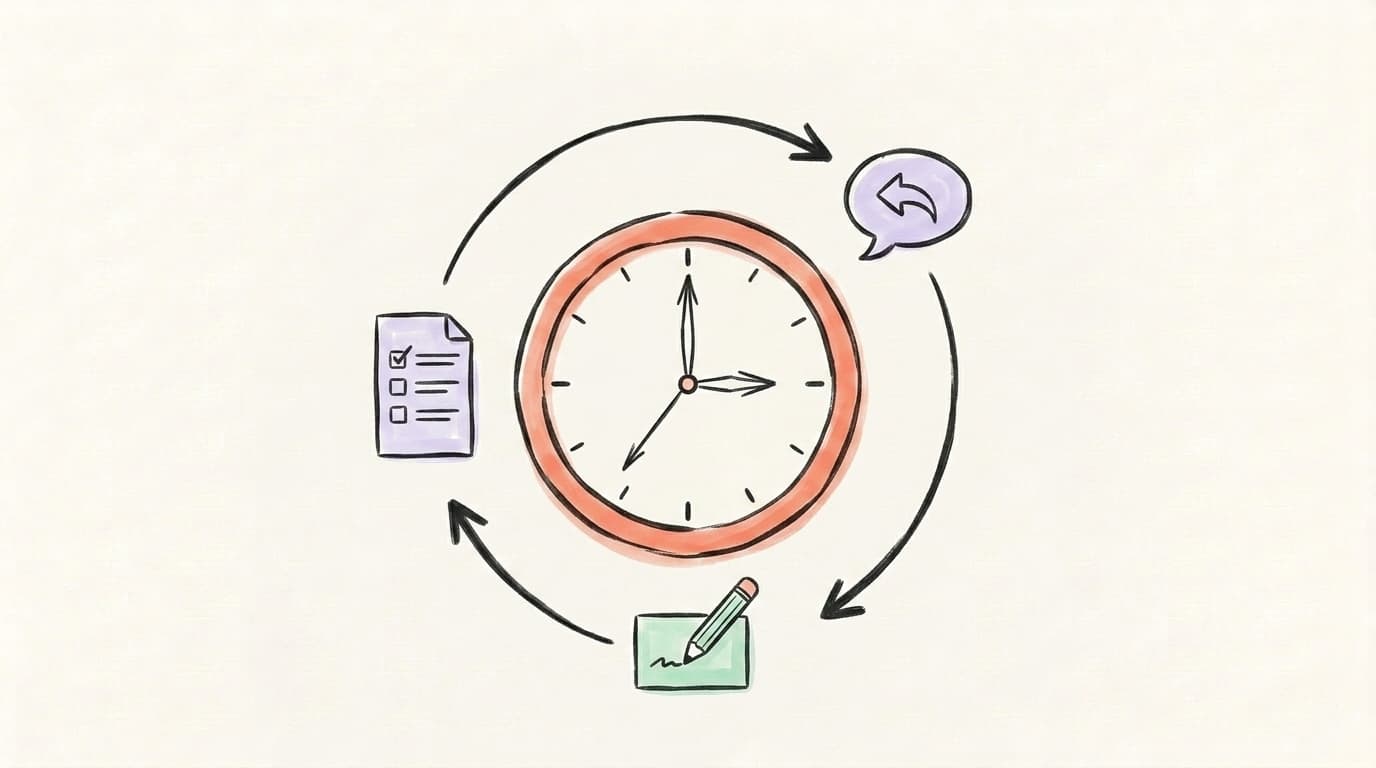
The Daily List Cycle is a 15-minute routine that uses your lists to prime engagement before you ever post. The order matters: you engage first so your name is already circulating, then you publish into a warmer audience. Run it once a day, ideally right before your main posting window. Here's the cycle:
- Minutes 0–7 — Engagement Targets. Open the list, leave 3–5 genuine, value-adding replies on posts from accounts bigger than you. No "great post" filler — add a real take.
- Minutes 7–11 — Peers & Mutuals. Reply to 2–3 peers. These are the relationships that reciprocate and amplify you.
- Minutes 11–13 — Industry News. Scan for anything breaking. An early, smart reply on a fast-moving post can outperform a whole day of original tweets.
- Minutes 13–15 — Post your own content. Now publish. Your replies have already put your name in front of new audiences, and the algorithm has fresh signals that you're active and interacting.
Do this consistently and the compounding is real — it's the engagement-first habit at the core of how to grow on Twitter without burning hours scrolling.

How Do You Combine Lists With X Bookmarks?
Lists and bookmarks solve different problems, and using them together closes the loop between engagement and content. A list is an ongoing stream — accounts whose posts you want to see every day. A bookmark is a save — a single post you want to come back to. The workflow that ties them together: while running your Daily List Cycle, bookmark any post that sparks a content idea, makes a point you want to reference, or uses a format worth stealing. Then once a week, open your bookmarks and turn them into your own posts — a fresh take, a counterpoint, or a thread expanding the idea. Bookmarks are also one of the stronger positive signals in the open-sourced ranking weights — far above a like — so saving genuinely useful posts isn't just for you. Lists feed your engagement; bookmarks feed your content pipeline. Run both and you never stare at a blank compose box again.
How Do You Track Lists in a Real Workflow?
You track lists by tying them to a fixed time block and a content plan, not by relying on willpower. The reason most people abandon lists is the same reason they abandon any habit — it lives nowhere on their calendar. Pin your Daily List Cycle to a recurring slot, treat it like a meeting, and pair it with the posts you've already planned so engagement and publishing happen in one sitting. The accounts that grow fastest aren't the ones with the most lists; they're the ones who show up to the same 15-minute session every day for months. That's where planning the rhythm — what you'll post, when you'll engage, which list feeds which session — turns a clever tactic into a system that actually compounds. A simple content calendar removes the daily decision fatigue and keeps the cycle running even on busy days.
Start Growing on X with Postory
X Lists give you the targets; a plan keeps you showing up. Postory's social media planner lets you map your posting schedule and block out daily list-engagement sessions so the Daily List Cycle becomes a routine, not a good intention you forget by Wednesday. Plan your week, slot your engagement windows next to your scheduled posts, and run the same compounding habit across X, Threads, and Bluesky from one calendar.
Try Postory free — plan your posts and daily engagement sessions in one place, so growing on X becomes a system instead of a scramble.
FAQ
Q: How do I create a list on X?
Tap your profile menu (or the lists icon in the sidebar on desktop), choose "Create a new List," give it a name, and toggle it private if you don't want others to see it. Then search for accounts and add them. You can add or remove members anytime, and posts from those accounts show up in the list feed in chronological order.
Q: Do people know when I add them to a private X list?
No. Private lists are invisible to everyone but you — the accounts you add are not notified and can't see they've been added. That's why private lists are ideal for tracking competitors, studying creators, and building your engagement-target list without tipping anyone off.
Q: Can X Lists actually help me get more followers on Twitter?
Indirectly, yes. Lists don't add followers by themselves, but they make your engagement far more targeted — and engagement is what surfaces you to new audiences. By replying daily to the right accounts from a curated list, you put your name in front of people likely to follow you, which is one of the most reliable ways to get more followers on Twitter.
Q: How many accounts should I put in an X list?
Keep engagement lists small — 15 to 30 accounts is plenty. A tight, relevant list is something you can actually read and act on every day. Lists with hundreds of accounts become as noisy as the main feed and defeat the purpose. Quality and relevance beat size.
Q: What's the difference between an X List and just following accounts?
Following adds an account to your main For You and Following feeds, where the algorithm mixes everything together. A list creates a separate, dedicated feed showing only the accounts you chose, in order. You can even add accounts to a list without following them, keeping your main feed and following count clean.
Q: How often should I check my X lists?
Daily for your engagement and news lists — that's the foundation of the 15-minute Daily List Cycle. Check your inspiration and peer lists a couple of times a week for content ideas. The key is consistency: a short daily session beats an occasional hour-long binge.
Q: Are public X lists worth making?
They can be, if the list itself is useful to others. A well-curated public list (like the top creators in your niche) positions you as a curator, can attract followers who subscribe to it, and occasionally gets shared. But for engagement and competitor tracking, keep your lists private.
Related articles
How I Got My First 100 Followers on X (From a Dead Account)
I started a brand new X account with zero followers and had my first 100 real followers a few days later. Here's the exact playbook.
Jul 19, 2026

The X Profile Banner Strategy: What to Put Above Your Tweets
Your X banner is prime real estate most accounts waste. 6 banner archetypes that turn profile visits into follows — plus the exact 2026 dimensions.
May 30, 2026
The X Quote Tweet Strategy That Outranks Replying
Quote tweets let you piggyback on bigger accounts' distribution while building your own. Here's the exact 5-format playbook that turns other people's reach into your followers in 2026.
May 29, 2026