
How to Repurpose Blog Content for Social Media?

Every blog post has 5–10 standalone ideas hiding inside it. Pull them out, rewrite each one in the native voice of LinkedIn, X, or Threads, and you'll get a week of social content from a single article. This post shows you the extraction method, platform-specific templates, and a checklist you can run in under an hour.
You already wrote the hard part. A 1,500-word blog post is packed with hooks, examples, stats, and opinions — and most of it is sitting in a single URL that maybe 200 people will ever read. Meanwhile, you're staring at an empty LinkedIn composer wondering what to post tomorrow.
Learning how to repurpose blog content for social media fixes that. Buffer calls it the "5-to-1 rule": every long-form piece should produce at least five social posts. Below is exactly how to do it.
Why Should Your Blog Posts Live on Social Media Too?
Your blog post is one asset, but the people you want to reach don't all read blogs. They scroll LinkedIn at lunch, swipe through Threads on the bus, and skim X while waiting for coffee. Repurposing meets them where they already are, in the format they already prefer. It also builds what Buffer calls topical consistency — when the same core idea shows up on your site, your LinkedIn, and your X, Google and readers both start associating you with that topic.
And the math strongly favors repurposing: industry reporting suggests repurposing saves ~60% of the time compared to creating each social post from scratch, because the research, examples, and arguments are already done. You're just reformatting.
One more thing: social gives your blog posts a second life. A piece you published six months ago is still useful — most of your audience never saw it the first time. Repurposing isn't cheating, it's distribution.
What Does "Repurpose" Actually Mean Here?
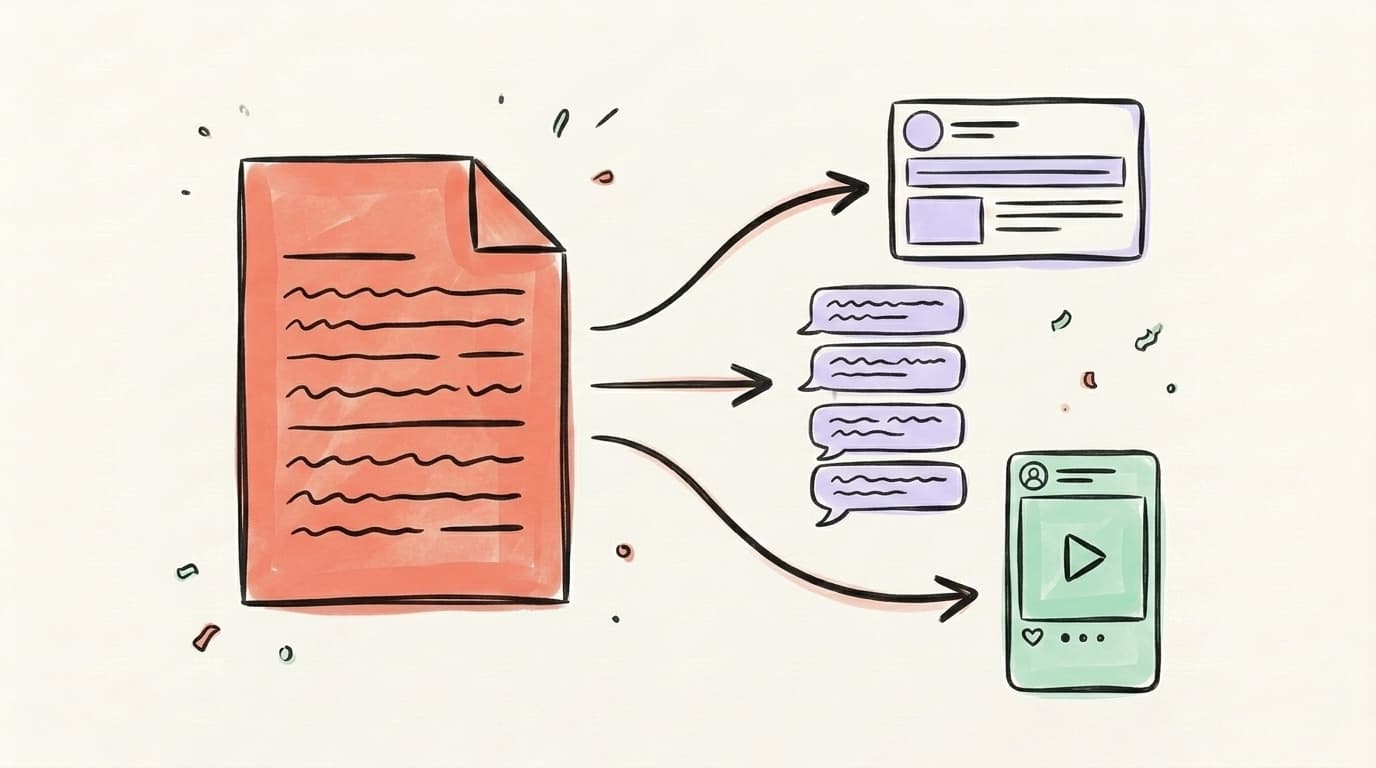
Repurposing is not copy-paste. If you drop a 1,500-word paragraph into LinkedIn, it dies. Repurposing means extracting a self-contained idea from the blog post and rewriting it in the native shape of the platform you're posting to. Each platform has its own physics: LinkedIn rewards story-led hooks and whitespace, X rewards compression and tension between lines, Threads rewards a conversational take. The blog is the source material — the mine, not the product. The product is a short, punchy post that makes sense on its own, even if the reader never clicks through. You should still link back (especially from LinkedIn and Threads, which don't penalize outbound links as aggressively as X), but the post has to stand up without the click. If someone only reads the social version, they should still walk away with something useful.

AI that learns your voice
Posts that actually sound like you
Postory's AI writes drafts in your voice — not generic AI mush — so you publish faster and still sound human.
How Do You Turn a Blog Post Into a LinkedIn Post?
LinkedIn is the easiest repurposing target because long-form text still works there — readers expect 150–300-word posts and the algorithm rewards dwell time. Your goal is to pick one idea from the blog, not summarize the whole thing, and turn it into a story-shaped post. Start with a hook line that contradicts conventional wisdom or names a specific pain ("Most blog traffic is wasted. Here's why."). Follow with 3–5 short paragraphs, one sentence each, with aggressive line breaks so the post breathes on mobile. Close with a concrete takeaway or a question to prompt comments. Then add the blog URL in the first comment, not the main body, because LinkedIn throttles posts with outbound links in the body. A single 1,500-word article usually yields 2–3 good LinkedIn posts this way: one per H2 you care about. Don't post them the same week. Space them 2–3 days apart so the same reader doesn't see the same source article twice.
Template you can steal:
[Contrarian one-liner hook.]
Here's what most people get wrong:
[The mistake, in one sentence.]
[One specific example from your blog post.]
[The fix — the key insight from the article.]
[One-sentence takeaway.]
What's worked for you?
One blog post with 5 H2s = 5 of these. Don't post them back-to-back — spread them across two weeks.
How Do You Turn a Blog Post Into a Twitter/X Thread?
X threads reward structure: hook, payoff, proof, proof, proof, punchline. A 1,500-word blog post usually contains one thread's worth of material, not five — so pick your strongest argument and go deep on it rather than trying to cram the whole article in. The opening tweet is 90% of the work. It has to promise a specific, concrete payoff in under 240 characters, because that's all anyone reads before deciding to expand the thread. "Here's how I turn one blog post into 10 social posts (the template)" beats "Tips for content repurposing." From there, each following tweet should be one idea only — no commas stacking two thoughts together, no "and also" transitions. Lists, contrarian takes, and behind-the-scenes breakdowns all thread well. Generic advice doesn't — "Post consistently" doesn't earn a scroll-stop. Threads are also where you can reuse the exact stats, quotes, and examples from the blog verbatim — attribution is built into the thread format, so pulling a bolded data point straight from the article is fair game.
Thread structure:
- Tweet 1 — Hook: promise + specificity
- Tweets 2–3 — Context: why this matters now
- Tweets 4–8 — The actual value: steps, examples, or numbered points
- Tweet 9 — Takeaway: the one-line lesson
- Tweet 10 — CTA: link to the full blog post + "follow for more"
Keep threads to 7–10 tweets. Longer threads see sharp engagement drop-offs — readers bail once the scroll gets heavy.
How Do You Turn a Blog Post Into a LinkedIn or Instagram Carousel?
Carousels are the most visual format, which means they demand more work — but they also get the longest dwell time on LinkedIn and Instagram because users actively swipe through them. The logic is the same as a thread, just drawn: one idea per slide, 10–30 words per slide, a strong opening slide that makes someone swipe, and a landing slide that wraps it up. According to a 2025 carousel best-practices roundup from Usevisuals, 4–10 slides at 1080×1080 (or 1080×1350 as PDF) is the sweet spot, and opening with a question, a stat, or a bold claim outperforms a generic title slide. The last slide should deliver one clear takeaway plus one clear CTA ("save this," "read the full post — link in bio"). One non-obvious trick: drop a small prompt in the middle of the carousel ("agree or disagree?") to push swipers into the comments before they reach the end. Blog posts with clear H2 structure translate to carousels almost 1:1 — each H2 becomes a slide.
Carousel skeleton from a blog post:
- Slide 1: Hook — the blog post's most contrarian sentence
- Slides 2–7: One H2 per slide, rewritten as a single punchy line
- Slide 8: The big takeaway
- Slide 9: CTA + where to read more
A tool like Canva can help you avoid spending two hours in Figma. Carousels also repurpose again — the same slides work as a LinkedIn carousel PDF and as Threads image posts.
How Many Social Posts Can One Blog Post Generate?
Realistically, a 1,500-word blog post should produce 5–10 high-quality social posts spread across platforms — not 20 cross-posted clones. Buffer's 5-to-1 rule is the conservative floor: five posts per article. In our experience editing Postory drafts, a well-structured long-form piece usually contains 5–10 individual insights, and each insight can become its own standalone post. So from one article you can reasonably get: 2–3 LinkedIn posts (one per core idea), 1 X thread, 3–4 standalone tweets (stats, quotes, one-liners), 1 Instagram or LinkedIn carousel, and 1–2 Threads posts. That's 8–11 pieces of content from a single 90-minute writing session, and it's enough to fuel roughly two weeks of social calendar without writing anything net-new. The ceiling is higher if you include short-form video — turning one insight into a 60-second Reel or Short — but at that point you're moving from repurposing into full content production. Start with text, prove which ideas resonate on social, and only upgrade the winners into video later. Chasing 20 formats from a single article is how creators burn out by Thursday.
How Do You Automate Blog-to-Social With AI?
This is where the time math gets interesting. Manual repurposing still takes 30–60 minutes per blog post. AI cuts that to 5–10 minutes if you prompt it right. The bad version is pasting your blog into ChatGPT and asking "make this a LinkedIn post" — you'll get something that sounds like every other AI-generated post on LinkedIn. The good version gives the model your blog URL, your target platform, your voice samples (2–3 of your own best posts), and a strict structural template. That's what Postory's AI post writing is built for — you paste the blog URL, pick the platforms, and it generates native-shaped drafts for LinkedIn, X, and Threads that actually read like you wrote them. The rule of thumb: AI should do the first 70% of the work — structural extraction and first-draft writing — and you should do the last 30%: voice, specificity, and the one-line hook. Never ship an AI draft unedited. You'll recognize it, and so will your readers.
The Blog Repurposing Checklist
Run this every time you publish a new blog post. It takes less than an hour if you don't get precious about it.
- List every H2 as a standalone idea. If your blog has 6 H2s, you have 6 potential posts.
- Pull out 3–5 quotable one-liners. These become standalone tweets or Threads posts.
- Pick your strongest argument and outline it as a 7–10 tweet X thread.
- Write one LinkedIn post per core idea, using the template above. Space them 2–3 days apart.
- Design one carousel from the blog's outline (9 slides max).
- Schedule everything across 2 weeks, not one day. One blog post should fuel ~14 days of social.
- Link back to the blog — in the first comment on LinkedIn, in the last tweet on X, in the bio for Instagram.
- Track which format wins. Whichever post gets the most engagement is the one you double down on next time.
For a deeper walk-through of the full strategy beyond just blog posts, read our content repurposing guide. If you're newer to the concept, start with the primer on what content repurposing actually is.
Start Repurposing Blog Content With Postory
If the checklist feels like a lot, that's because doing it by hand is. Postory shortcuts the whole extraction-and-rewriting phase: paste your blog URL, and it generates LinkedIn, X, and Threads drafts that already use the native shape of each platform — story-hook posts for LinkedIn, thread-ready breakdowns for X, conversational takes for Threads.
Paste your blog URL → get LinkedIn, X, and Threads posts instantly. Try Postory free — turn one blog post into a week of social content without rewriting anything from scratch.
FAQ
Q: How often should I repurpose an old blog post?
Evergreen posts can be repurposed every 3–6 months with a fresh angle — new stat, updated example, different platform. Trend-driven posts have a shorter shelf life, usually 4–8 weeks. Track which blog posts still bring in organic traffic after a year; those are your repurposing goldmines.
Q: Should I post the same content to LinkedIn, X, and Threads at the same time?
No. Rewrite each version in the native voice of the platform. LinkedIn rewards story-led posts with whitespace, X rewards compression and tension, Threads rewards conversational takes. Cross-posting identical text reads as lazy and performs worse on every platform.
Q: Is repurposing bad for SEO?
No — as long as the social posts are rewrites, not copy-pastes of the blog. Google doesn't penalize social media snippets that summarize an article. What it does penalize is publishing the same 1,500-word article on multiple sites (duplicate content). Repurposing for social is the opposite of that.
Q: How do I turn a blog post into a video?
Pick one H2, write a 45–60 second script that hooks in the first 3 seconds, record yourself reading it (or use a screen recording), and caption heavily. Most viewers watch muted. Tools like Opus Clip or CapCut automate the editing. Start with one video per blog post, not five.
Q: Can I repurpose other people's blog content?
Only if you credit the original author clearly and add your own analysis. A "takeaways from [X's article]" post is fine and often performs well. Copying and rewording someone else's blog without attribution is plagiarism, and on LinkedIn and X it gets called out fast.
Q: How long should a LinkedIn post from a blog be?
150–300 words is the sweet spot in 2025. Short enough to read without "see more" being a dealbreaker, long enough to deliver real substance. Lead with a hook line, break every sentence onto its own line, and end with a question.
Q: What if my blog post is too short to repurpose?
If the post is under 800 words, you probably only have 2–3 social posts in it. That's fine. Don't force a thin post into 10 pieces of content — combine it with a related post into a single thread or carousel instead.
Q: Do I need to write the blog first, or can I go social-first?
Either works. Some creators write the X thread first, test what resonates, and then expand the winners into full blog posts. Others write the blog first and atomize down. If SEO matters more to you, blog-first. If engagement feedback matters more, social-first.
Related articles
How to Use Content Repurposing Tools (And Which Ones Are Actually Worth It)
Content repurposing tools turn one piece of content into ten — but only if you pick the right one. Here's how to choose and use them.
Apr 26, 2026

How to Create Video Content for Social Media?
A practical 2026 guide to making social media videos that get watched, shared, and repurposed across LinkedIn, X, and Threads.
Apr 25, 2026
How to Cross-Post on Social Media?
A practical guide to cross-posting without tanking your reach — what to copy, what to rewrite, and which tools actually save time.
Apr 22, 2026