
How to Batch Create Social Media Content (No Burnout)

Stop making posts one at a time. Plan ideas, write captions, film, and schedule in separate batches — you'll spend less time, stay more consistent, and dodge the daily decision fatigue that kills most posting habits.
Daily posting is a productivity trap. Every time you switch between "come up with an idea," "write caption," "edit image," and "cross-post," your brain pays a reset tax. Research from the American Psychological Association found that task-switching can eat up to 40% of someone's productive time. That's why learning how to batch create social media content is the single biggest unlock for creators and small teams — you do each type of work once, in focus, and then just publish.
This post walks through exactly how that works: what batching actually is, the 2-hour workflow, how to batch across platforms, how to turn one idea into ten posts, and whether a weekly or monthly cadence fits you better.
What Is Batch Content Creation?
Batch content creation is the practice of grouping similar content tasks and doing them in one focused session instead of one-by-one every day. Instead of brainstorming an idea Monday, writing a caption Tuesday, filming Wednesday, and scheduling Thursday, you do all the brainstorming at once, all the writing at once, all the filming at once, and all the scheduling at once. The core insight: your brain is fastest when it stays in the same mode. Writing ten captions back-to-back is meaningfully faster than writing one caption per day because you skip the cold-start on context, voice, and tone every time. The same applies to filming, designing, or scheduling. Agencies and full-time creators have used this approach for years — it's the reason a good social media manager can run twelve client accounts and not look frazzled. For a solo creator or small team, batching is less about volume and more about reclaiming the mental space that daily posting steals from you.
Why Does Batching Beat Daily Posting?
Batching beats daily posting because it removes the two things that make posting fail: decision fatigue and context switching. When you sit down every morning to "figure out today's post," you burn willpower on a task that could have been handled in bulk the week before. Buffer's Tamilore Oladipo ran a real experiment on this — she prepared a month of social content in a single 7-hour day and walked away with five text-post drafts, four video clips, three backup posts, and calendar reminders, which covered her travel weeks without daily scrambling. The bigger compounding win is consistency. Social algorithms on LinkedIn, X, and Threads reward accounts that show up steadily. When you batch, "I didn't have time today" stops being a reason to skip — the post is already written, designed, and queued. You still leave room for reactive posts (a news hot-take, a reply to a trend), but your baseline presence is locked in before the week starts.
How Do You Run a 2-Hour Batch Content Session?
AI that learns your voice
Posts that actually sound like you
Postory's AI writes drafts in your voice — not generic AI mush — so you publish faster and still sound human.
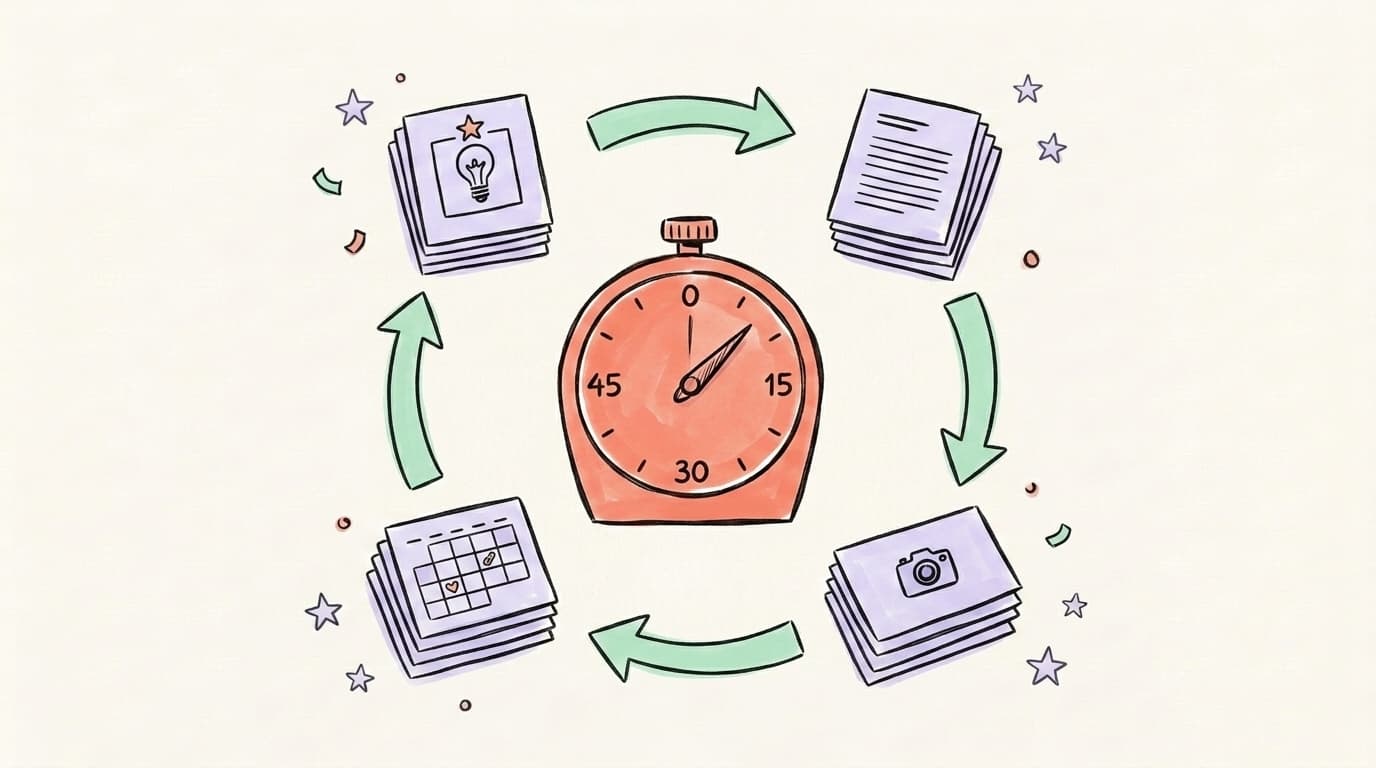
A focused 2-hour batch session is enough to produce a full week of posts if you split the time into four strict phases and resist the urge to perfect anything mid-session. The key is separating thinking work (ideas), craft work (writing), execution work (visuals), and admin work (scheduling) so your brain stays in one mode per block — that's where the real speed gain comes from. Most creators who try batching for the first time collapse all four phases into one blur and end up slower than daily posting, because every phase keeps interrupting the next. Run it phase-by-phase, set a timer, and ship drafts instead of perfecting. Here's the breakdown that actually works:
1. Ideas — 20 minutes. Open a single doc or note. Dump 10–15 raw ideas pulled from recent questions, client conversations, things you learned, posts that performed well last month, or comments on your previous content. Don't write posts yet. Just topics and angles.
2. Writing — 50 minutes. Take the 7 strongest ideas and write captions or short posts for each, back-to-back. Don't edit between drafts — dump them all out, then do a single polish pass at the end. Voice stays consistent this way.
3. Visuals — 30 minutes. Film all short-form clips in one go if you need video. If you're on text-based platforms (X, Threads, LinkedIn), grab or design any images in a single Canva/Figma session using one template.
4. Schedule — 20 minutes. Drop everything into a scheduler with publish dates across the next 7 days. Add your hook variations, shuffle posting times, done.
The 2-hour cap is deliberate — it forces you to ship drafts instead of polishing forever. You can always batch again next week.
How Do You Plan a Week of Social Media Content in One Sitting?
Knowing how to plan a week of social media content in one sitting comes down to one move: decide the themes before you decide the posts. Before you write anything, list your 3–5 content pillars (e.g., "lessons from building," "behind-the-scenes," "hot takes," "how-to tips," "client wins") and assign each day of the week to one pillar. That small constraint removes 80% of the "what should I post?" decision. Now when you sit down to batch, you're not staring at a blank page — you're answering a narrow prompt like "Give me 2 Tuesday hot-takes." Pair that with a simple content calendar (Notion, a spreadsheet, or a dedicated tool) so you can see the whole week at once. A proper content calendar is the backbone — batching is the engine. One without the other works; both together compound. If you're just starting, don't plan more than 7 days ahead. Once you hit the habit, stretch to 14, then 30.
How Do You Batch Content for Multiple Platforms at Once?
Batching across X, Threads, LinkedIn, and Instagram feels overwhelming until you realize you're not making four different posts — you're making one idea expressed four ways. The workflow: start with the longest format first, then compress. Write the LinkedIn post (200–300 words, structured argument). Strip it down to a 280-character punchline for X. Rework that punchline into a more conversational Threads post. Pull the single strongest line for an Instagram quote tile or Reel hook. You produce four platform-native assets from one piece of thinking, and none of them feel copy-pasted because the length and tone actually shift per platform. The trick is doing this in the same focus block. Open four tabs, work one idea across all of them, then move to the next idea. Fighting the temptation to "publish LinkedIn first, then figure out the others later" is the whole discipline — that's how you fall back into daily posting. Tools that support multi-platform publishing let you queue some of those versions from one interface instead of losing momentum to admin work — Postory natively schedules X, Threads and Bluesky, so the LinkedIn and Instagram versions still go out through their own apps or a scheduler that connects to them.
How Can You Repurpose One Piece of Content Into 10 Posts?

Repurposing is what turns batching from "a week of posts" into "a month of posts from the same effort." The mental shift: stop thinking of a blog post, podcast, or long LinkedIn post as a finished piece — think of it as raw material. A single well-researched 1,000-word article usually contains 5–8 distinct ideas, 2–3 memorable phrases, and at least one contrarian angle, which is enough fuel for a full month of short-form posts. The only rule: each repurposed post should stand on its own. Don't just copy-paste quotes — reframe the insight so someone scrolling doesn't need the original to get value. Take one strong anchor piece — a blog post, a podcast episode, a long LinkedIn post, a client call recording — and mine it for 10 derivative posts. Here's a concrete list:
- Headline quote — pull the single best sentence, post it as-is
- Contrarian hot take — flip the main point and argue the opposite
- How-to breakdown — turn the advice into numbered steps
- Mini thread — split the argument into a 4–6 post thread
- Carousel — visual version of the same breakdown for LinkedIn/Instagram
- Personal story — the context that led you to this insight
- Behind-the-scenes — what you tried and what didn't work
- Question post — ask readers the same question the piece answers
- Stat or data point — pull one number and build a post around it
- Short-form video hook — read the best line straight to camera
Do this in a single batch session and you've got 10 posts from one afternoon of thinking. For a deeper playbook, our AI content repurposing guide walks through the full system.
Which Tools Help You Create Social Media Content in Bulk?
The right stack for creating social media content in bulk usually comes down to four categories: an idea-capture tool (Notion, Apple Notes, or a voice recorder for on-the-go thoughts), a writing tool (any text editor — plus an AI post writer if you want first-draft help), a visual tool (Canva for templates, Figma if you already know it, or a phone camera for short video), and a scheduler to queue everything across platforms. Keep the stack small. Most creators fail batching because they pick seven tools, spend their "batch day" switching between them, and lose the focus that makes batching work in the first place. If you're using Postory, the writing-to-scheduling flow happens in one place — you draft posts, adapt them for X, Threads and Bluesky, and schedule those into the queue without exporting to another tool. For teams, post management handles review and approvals so the batching doesn't collapse when a second person needs to sign off.
Here's a great walkthrough of a real batching session from Katie Steckly, one of the clearer content creation YouTubers:
Weekly Batch vs. Monthly Batch — What Works Better?
Start Batching With Postory
The hard part of batching isn't the writing — it's getting from "I have ideas" to "everything is drafted, adapted per platform, and scheduled" without five tools and an export dance. Postory handles that loop in one place: you feed it your raw idea or a source (a blog post, a note, a transcript), get platform-native drafts for X, Threads, and Bluesky, edit inline, and drop them straight into the scheduler. That means a 2-hour batch session actually produces 14 queued posts instead of 14 Google Doc drafts you'll touch again later.
Batch create a month of content from one source — try Postory.
FAQ
Q: How long should a batch content session be?
Aim for 90 minutes to 2 hours for a weekly batch, or 4–6 hours for a monthly batch. Anything longer and your output quality drops fast — your brain starts defaulting to safe, generic captions. Shorter focused blocks beat marathon sessions almost every time.
Q: How far in advance should I batch social media content?
Most solo creators do best batching 7–14 days in advance. Brands and agencies can go 4–6 weeks ahead for evergreen content. Going further than that usually means content feels disconnected from what's actually happening in your niche when it publishes.
Q: Can I batch content if I post on multiple platforms?
Yes — this is actually where batching pays off the most. Write the long-form version first (LinkedIn or a blog post), then compress it into shorter platform-native versions for X, Threads, and Instagram. You get four posts from one idea in the same session.
Q: What if I run out of ideas during a batch session?
Keep a running "ideas bank" — a note or doc where you drop thoughts, questions, and observations throughout the week. When batch day comes, you're not brainstorming from zero, you're choosing from a stocked list. This is the single biggest thing that separates smooth batches from painful ones.
Q: Is batching content bad for engagement?
No — if anything, it's better. Consistency beats spontaneity on every major platform. Batched content published on a steady schedule outperforms sporadic "fresh" posts because algorithms reward regular activity. Leave 10–20% of your posting slots open for reactive/trending content if timeliness matters in your niche.
Q: How do I batch video content specifically?
Film multiple clips in one session using the same lighting, outfit, and background. Swap your top or add an accessory between clips if you're worried about the "same-outfit" look. Shoot all talking-head content first, then b-roll, then any on-location footage. Edit in one separate session — never on the same day as filming.
Q: Do I still need a content calendar if I'm batching?
Yes. Batching is the how; the calendar is the what and when. Without a calendar, your batches get lopsided — too many promotional posts, not enough educational, no rhythm across the week. A simple content calendar takes 30 minutes to set up and makes every future batch session faster.
Q: How do I stay consistent after the batch is published?
Set a recurring calendar block — same day, same time, every week or month — and protect it like a client meeting. The creators who stay consistent aren't more disciplined; they've just removed the decision of when to batch. It's scheduled, so it happens.
Related articles
Threads vs. LinkedIn: Which Should You Post On?
Threads vs. LinkedIn, answered: LinkedIn reaches buyers and converts, Threads builds reach faster and cheaper. Which one wins depends on one thing — here it is.
May 21, 2026
What Is Mastodon Social Media? A Beginner’s Guide
What is Mastodon social media? Learn why it was created, how servers and the fediverse work, and whether this decentralized network suits you.
Oct 15, 2026
What Is Bluesky? How It Works, Users, Pros & Cons
What is Bluesky? How the social app works, who it is for, and its pros and cons. Learn its history, AT Protocol, feeds, and latest user count.
Oct 15, 2026