
Threads Account Suspended or Disabled? How to Reactivate It

Suspended on Threads? Make your first appeal count
A Threads review is usually one per decision. Ban Assistant writes that appeal with you, built on our research into real cases, and reads Meta's reply. You send it yourself.
Most 2026 Threads bans come from Meta's AI moderation flagging the wrong accounts. Submit the in-app appeal first, then loop in Instagram support and (if you're in the EU) Appeals Centre Europe. Many accounts auto-restore within two weeks — and creating a new account is the fastest way to make things worse.
You log into Threads and see "We suspended your account." No warning. No explanation. Maybe a vague reference to community guidelines you're sure you didn't break. Your stomach drops.
You're not alone, and you almost certainly didn't do anything wrong. This is the playbook.
Why Are So Many Threads Accounts Getting Banned in 2026?
If your threads account banned notification feels random, that's because — for tens of thousands of users — it actually is. Since late May 2025, waves of Meta accounts have been auto-suspended by AI moderation systems that flagged innocent users for severe violations like "child sexual exploitation" or "violence promotion." NBC 5 in Dallas reported that 35 affected users all received bans citing community standards on child exploitation, abuse, and nudity — with at least one later told by Meta that "its technology made a mistake." A fresh wave hit again in late March 2026, with users in the Philippines, US, Australia, and Indonesia losing access across Facebook, Instagram, and Threads simultaneously. Independent coverage of the 2025 Meta ban waves describes thousands of innocent accounts caught up in the same automated dragnet, with a user petition gathering over 50,000 signatures demanding human review. The pattern is consistent: business accounts, family photo accounts, and highly active profiles get caught in the dragnet. And because Instagram, Facebook, WhatsApp, and Threads are tied together, a single bad flag can cascade across your entire Meta identity.
Disabled vs. Banned vs. Restricted: What Actually Happened to You?
Before you appeal, you need to know what state your account is actually in — because the path back is different for each. Disabled means Meta locked the whole account; you can't log in, and you'll see a "We suspended your account" or "Your account has been disabled" screen. Banned/permanently disabled is the harshest tier — Meta has decided to remove the account, usually after a rejected appeal. Meta publishes no deletion countdown; if your screen names a date, it applies to the action it names — a deadline to appeal is not a deletion date. Restricted is softer: you can still log in, but specific features (posting, commenting, DMs, reach) are limited. To check, log into Threads (or Instagram, since the accounts share a backend) and go to Settings → Account → Account status. Threads' own help account confirms this is where you'll find "violations or restrictions on your profile, including posts we've removed, content we can't recommend and features you can't use" — and the "Request a review" button when applicable.
Step 1: Don't Panic — Many Bans Auto-Reverse in 2 Weeks
This is the part nobody tells you up front, and it's why panic-creating a new account is such a bad move. A significant share of these AI-driven bans get auto-reversed by Meta within roughly one to two weeks, sometimes without any successful manual appeal on your end. The mass-ban coverage from 2025 and 2026 describes the same pattern repeatedly: accounts come back. Sometimes it happens after Meta engineers roll back a faulty model update. Sometimes a human reviewer randomly catches it. Sometimes Instagram head Adam Mosseri intervenes after a high-profile complaint — he publicly apologized to one user for a botched appeal, writing "your appeal went through, but we failed to tell you that. It's fixed now." The point: your account is not necessarily gone. Submit the appeal, document everything, and then — this is critical — keep your phone away from any temptation to "start fresh." Give it 14 days minimum before you escalate aggressively.
Suspension appeals
Write an appeal that answers the notice
Ban Assistant writes your appeal from what the notice said, reads the platform's reply and gives you the next step. You send it yourself.
Step 2: How Do You Submit the In-App Appeal?
The in-app appeal is your first and most important move — and you only get one shot at it per ban. Open the Threads app (or log into threads.net), enter your username and password, and you should hit the suspension screen. If a "Request review" or "Appeal" button appears, tap it immediately and follow the prompts. If you can still get into your account but features are restricted, go to Settings → Account → Account status, find the specific violation, and tap "Request a review." When you write your appeal, be calm, specific, and brief: state your username, the date you noticed the suspension, that you believe the action was a mistake from automated moderation, and that you have not violated community guidelines. Don't argue, don't threaten legal action, don't use ALL CAPS. Submit once and wait. Meta says appeals typically get a response within a few days, though in 2026 many users report 7–14 days or longer. One sobering reality from the Threads community itself: "It's not a human who reviews your appeal. It's an AI."
Step 3: How Do You Contact Threads Support When There Isn't Any?
Here's the part that catches everyone off guard: there is no dedicated Threads support team. Threads runs on the Instagram backend, so every appeal, support ticket, and complaint routes through Instagram Help Center — even if your Instagram account is fine and only Threads is affected. If your in-app appeal vanishes into the void, your second move is to flood Instagram support through every channel they still expose. From the Instagram app: tap your profile → menu (≡) → Help → Report a Problem, and describe the Threads suspension in detail. From the web: go to the Instagram Help Center, search "disabled account," and submit the form. A workaround discovered in the Threads support community is to have a friend or family member submit a "Report a Problem" on your behalf from their working Instagram account — sometimes that gets routed to human review faster than your own locked-out attempts.
Step 4: If You're in the EU, Use the DSA Appeal Route
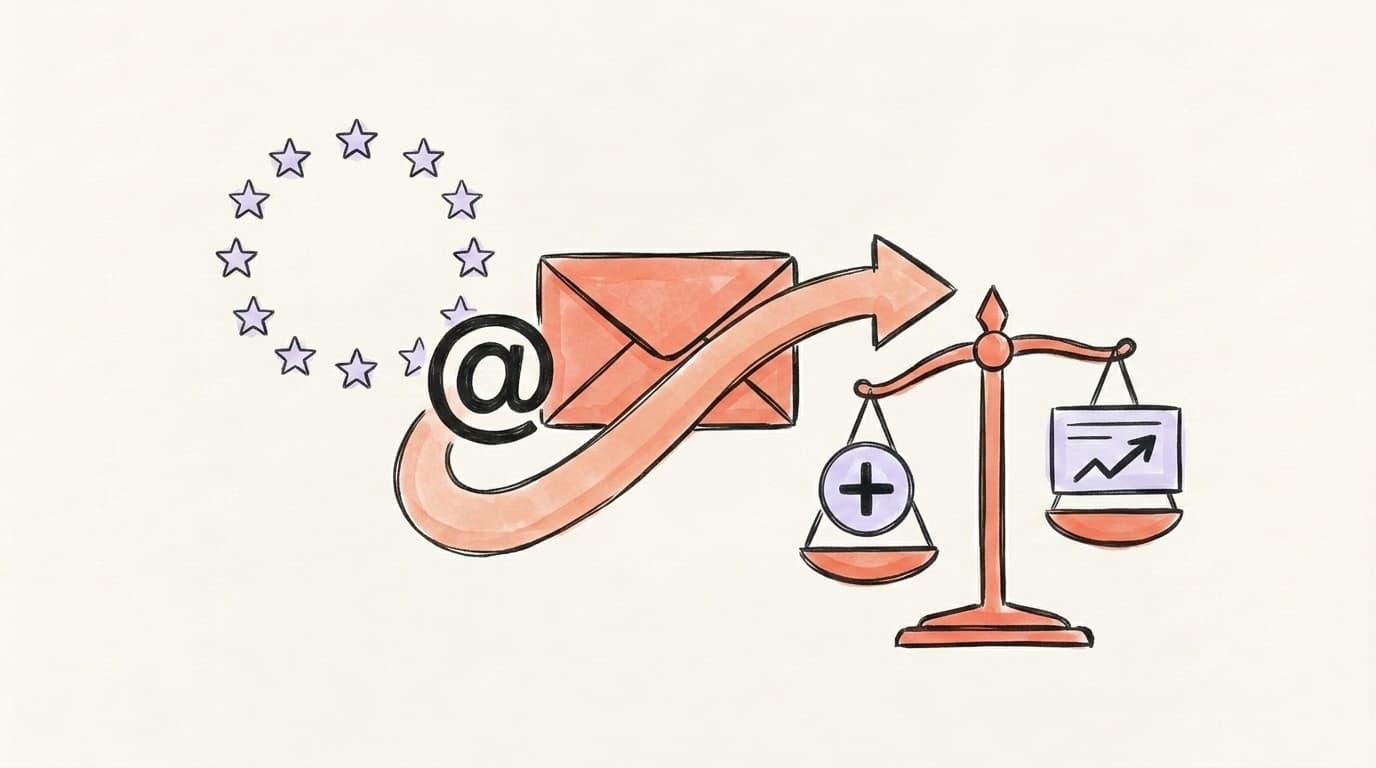
This is the move most banned users don't know exists, and it's a genuine game-changer if you're in the European Union. Under the EU's Digital Services Act, Meta is required to provide a "Statement of Reasons" whenever it disables your account — and if you disagree, you can take the dispute to a certified out-of-court dispute settlement body. The main one for Meta platforms is Appeals Centre Europe, an independent body set up by the Oversight Board Trust and certified under Article 21 of the DSA. It reviews disputes about Facebook, Instagram, Threads, TikTok, Pinterest, and YouTube — for free — for anyone located in the EU. You can file as long as Meta made the decision in the last six months, and the Appeals Centre aims to decide within 90 calendar days (often faster). The numbers are striking: Appeals Centre Europe's first transparency report shows it received nearly 10,000 disputes between Nov 2024 and Aug 2025 and overturned the platform in more than three-quarters of the 1,500+ decisions it issued.
Decisions are technically non-binding, but platforms must engage in good faith, and Meta has been overturning a high share of flagged cases. If you're in the EU and your in-app appeal failed, file an Appeals Centre dispute the same day.
What Reddit-Tested Tactics Actually Get Banned Accounts Unstuck?
When the official channels go silent, the community has assembled a short list of moves that have actually unstuck accounts. These come up over and over in r/Threads_app, r/Instagram, and the Meta community forums:
- Submit the appeal once, then stop. Filing multiple appeals from multiple accounts can flag you as a bot. One clean, calm appeal beats five frantic ones.
- Tag Mosseri publicly from a different account. Public threads tagging @mosseri with screenshots have triggered human review in some cases.
- Request your data download while you still can. From Instagram: Settings → Privacy and Security → Download Data. If the appeal fails, at least your photos, posts, and contacts aren't lost forever.
- Wait 14 days before escalating beyond the official channels. Many bans auto-reverse in that window, especially after Meta rolls back a faulty AI update.
- Document everything. Screenshot the suspension notice, your appeal submission, and the Statement of Reasons. You'll need them for the DSA route or a press inquiry.
- For EU users: file Appeals Centre Europe in parallel with your in-app appeal. Don't wait for Meta to reject you first.
What NOT to Do (Creating a New Account Will Get You Re-Banned)
The single worst move you can make is creating a new Threads account from the same phone, same IP, same email recovery details, or same Instagram identity. Meta links accounts through device fingerprints, IP addresses, recovery emails and phone numbers, and behavioral patterns — and a brand new account that lights up on the exact same fingerprint as a recently banned one gets auto-suspended within hours, often permanently, and now under "ban evasion" which is much harder to appeal than the original reason. Don't argue with Meta in your appeal. Don't post screenshots of private moderation decisions in ways that could be seen as harassment. Don't pay any "Meta recovery service" — they are all scams; only Meta can restore your account. And don't delete the app — you'll need it to monitor the appeal status.
How Do You Avoid a Repeat Ban Going Forward?
Once your account is back, the risk isn't over — accounts that have been flagged once tend to get flagged again. The fixes are mostly about not looking like a bot to Meta's AI. Slow down your posting cadence: bursts of 20+ posts an hour, hundreds of follows in a short window, or copy-paste replies across many threads all trigger automated review. Keep your activity human-paced and spread across the day. Diversify your content — feeds that look like nothing but reposts, generic AI text, or aggressive promotional posts get a harder look. Make sure your two-factor authentication is on and your recovery email and phone are current, so a real human can verify you fast if something does go wrong. Keep an eye on Settings → Account → Account status monthly so you catch warnings before they escalate to a full disable. If you want that monthly check to be more than a glance at one screen, a Shadowban Deep Scan reads your connected Threads account against every signal Meta's filters penalize and ranks what to fix first — the point being to catch the pattern while it's still a warning rather than a ban. And if you got banned during a content-moderation crisis around a sensitive topic, be especially careful about how you discuss it for a while afterward — the same keyword filters may still be hot.
If you're rebuilding after a ban — or just spooked enough to want a saner workflow — there are deeper guides on related Meta problems: the Threads shadowban walkthrough and the broader Instagram shadowban playbook are the right next reads. If your account came back but your reach didn't, that's a different problem from a ban — our free Threads shadowban test checks whether you're still hidden from logged-out profile views and people search. For general reach-loss issues across platforms, see how to fix a shadow ban, and if you also post on X, the Twitter account suspended recovery guide covers that ecosystem — and if your X reach quietly dropped rather than your account being locked, the free Twitter shadowban test checks for that in under a minute.
Stay Safe on Threads with Postory
Once you're back, the goal is to never trigger Meta's AI dragnet again. Postory queues and manages your Threads posts so your activity stays human-paced — even when you're scaling content across X, Threads, and Bluesky. Our post management tools help you space out posts, edit drafts before they go live, and review your scheduled queue in one place, so you're not panic-posting at 2am or hitting Meta's burst-activity flags.
Try Postory free — manage your Threads queue and stay inside platform limits so you never see that suspension screen again.
FAQ
Q: How long does a Threads account ban last?
Most non-permanent Threads bans last between a few days and two weeks, especially if the suspension came from an AI false positive during a known ban wave. For permanent disables, Meta publishes no deletion countdown. If your screen names a date, it applies to the action it names — a deadline to appeal is not a deletion date, and the EU's Appeals Centre Europe route has its own six-month window. Anyone who names a deadline and asks for your password or a fee to beat it is running a scam.
Q: Can I appeal a Threads ban more than once?
No. You typically only get one in-app appeal per disabled account. If it's rejected by Meta's automated reviewer, your remaining routes are Instagram Help Center "Report a Problem" submissions, public escalation, and — for EU users — Appeals Centre Europe under the DSA.
Q: Why was my Threads account banned with no warning?
The most common reason in 2026 is Meta's AI moderation flagging your account for community standards violations you didn't actually commit. Major ban waves in 2025 and 2026 hit tens of thousands of innocent users — Meta itself told NBC 5 Dallas that in at least one case "its technology made a mistake." Business accounts, family-photo accounts, and very active posters are disproportionately affected.
Q: Should I create a new Threads account if mine is banned?
No. Meta links accounts through device fingerprints, IP, recovery email and phone, and Instagram identity. A new account from the same device will typically get banned within hours under "ban evasion," which is much harder to appeal than the original suspension. Wait out the original appeal first.
Q: How do I contact Threads support directly?
There is no dedicated Threads support team. All Threads issues route through Instagram Help Center. From the app: profile → menu (≡) → Help → Report a Problem. From the web: help.instagram.com. EU users have an additional, more effective route via Appeals Centre Europe under the Digital Services Act.
Q: What is the DSA appeal for Threads and who can use it?
The Digital Services Act gives EU users the right to take Meta's moderation decisions to a certified out-of-court dispute settlement body. Appeals Centre Europe is the main one covering Threads — it's free, anyone in the EU can submit, and platforms must engage in good faith. The Appeals Centre overturned more than three-quarters of the disputes it ruled on in its first reporting period.
Q: Can I recover Threads content from a banned account?
If your account is disabled but not yet permanently deleted, log in and request a data download from Instagram (Settings → Privacy and Security → Download Data) — this works during the appeal window. After permanent deletion, the data is gone, which is why you should download a backup periodically while your account is healthy.
Related articles
"Content Not Available" on Threads: What It Means & How to Fix It
The "Content Not Available" message on Threads has seven common causes — here's how to figure out which one is yours and what to do about it.
May 17, 2026
Threads Shadow Ban: Does It Exist? (What We Know)
A Threads shadow ban isn't a formal policy — it's what users call reduced reach from Meta's content filters. Here's what actually happens and how to check.
Apr 13, 2026
X Account Locked vs Restricted vs Suspended: How to Unlock
Is your Twitter account restricted, locked or suspended on X? Tell which one from the screen you're seeing — and how to unlock yours.
Sep 8, 2026