
What Is the Best AI Blog Post Generator? (8 Tools Compared for 2026)

The best AI blog post generator depends on what you actually need. Jasper wins for marketing teams, Writesonic wins on price, Frase wins for SEO research, Surfer wins for ranking-focused optimization, and ChatGPT or Claude still beat most of them if you know how to prompt. None of them publish-ready out of the box — every winning workflow involves a human edit.
If you've searched "best AI blog post generator," you've already seen the same 10 tools listed in 50 different articles. The real question isn't which tool exists — it's which one fits your workflow and budget without producing slop that Google quietly de-ranks.
We tested the major players, dug into Google's actual stance on AI content, and built a workflow that goes from blog post to social posts in one sitting.
What Is an AI Blog Post Generator?
An AI blog post generator is a software tool that uses large language models (LLMs) — usually GPT-5.5, Claude Opus 4.7, or Gemini 3.1 Pro under the hood — to draft long-form articles from a topic, keyword, or outline you provide. The best AI blog post generator does more than spit out 1,500 words: it researches the topic against live SERP data, structures the article for SEO, suggests internal links, and lets you control tone and brand voice. Think of it as the difference between asking ChatGPT to "write a blog post about X" and using a purpose-built tool that knows what ranks for X, what subtopics competitors covered, and how to format the output for WordPress, Webflow, or your CMS of choice. The category includes everything from generic AI writers (Jasper, Copy.ai) to SEO-first generators (Writesonic, Frase, Surfer SEO) to one-click full-article tools (eesel, AIOSEO). Most run on a subscription model, ranging from $20/month at the entry tier to $300+ for agencies and teams.
How Do AI Blog Post Generators Actually Work?
Under the hood, every AI blog writer is a wrapper around a foundation model — usually GPT-5.5, Claude Sonnet 4.6, or Gemini 3.1 Pro — with custom prompting, a research layer, and editing controls bolted on top. The "research layer" is what separates a $39 tool from a $98 one: cheaper tools just feed your keyword to the model and hope for the best, while SEO-focused tools like Frase and Surfer first scrape the top 10 ranking pages, extract heading patterns and key terms, and inject that context into the model's prompt. That's why a Surfer-generated draft tends to cover the same subtopics as the current #1 result. The output then runs through a post-processing pass: the tool injects internal links, adds schema markup hints, sometimes pulls images from stock libraries, and formats everything for export. Some tools (eesel, Rankenstein, agentic n8n workflows) chain multiple model calls together — outline first, then sections, then a final edit pass — to produce more cohesive long-form content than a single shot. None of this is magic. Strip away the marketing and it's prompt engineering with a research layer bolted on.
What Are the 8 Best AI Blog Post Generators in 2026?

Here are the eight tools worth your attention this year. We picked them based on actual content quality, SEO integration, pricing transparency, and how they handle the part most generators screw up: making the output sound like a human wrote it.
1. Jasper AI — Best for marketing teams
Jasper has been the category leader since 2022 and still earns the spot if you need brand voice training, team collaboration, and a campaign system that generates blog posts plus matching emails and social copy. Pricing is Creator at $39/month (annual) or $49/month monthly, Pro at $59/month (annual) or $69/month monthly, with custom Business pricing for teams that need more seats and admin controls (Jasper pricing). The catch: Jasper's output without careful prompting feels generic. It's worth the money if you'll actually use the brand voice and campaign features.
AI that learns your voice
Posts that actually sound like you
Postory's AI writes drafts in your voice — not generic AI mush — so you publish faster and still sound human.
2. Writesonic — Best for GEO features
Writesonic has leaned hard into GEO (Generative Engine Optimization) — optimizing content to be cited by ChatGPT, Perplexity, and Google AI Overviews, not just ranked by Google. Their Lite (SEO-Content) plan starts at $39/month on annual billing ($49/month month-to-month), with Standard, Professional, Advanced, and Enterprise tiers above that (Writesonic pricing). A free plan with limited usage is available. The article writer produces 1,500-word drafts in well under a minute and ships with access to GPT-5 and Claude Sonnet 4.6 under the hood — the GEO layer is the differentiator versus older SEO-first tools.
3. Copy.ai — Best free tier
Copy.ai's free plan gives you 2,000 words a month, no credit card. That's enough to draft one short blog post per month or test the tool on a real piece of work. Paid plans start at $36/month. The blog writer is decent but less SEO-aware than Writesonic or Frase — better suited for marketing copy and email than long-form ranking content.
4. Frase — Best for SEO research
Frase combines SERP research with AI writing. You enter a keyword, it scrapes the top 20 ranking pages, builds an outline based on common headings, and lets you generate sections with that context preloaded. Solo is $38/month annual ($45/month monthly) for 15 articles, Basic is $98/month annual ($115/month monthly) for 75 articles, with a Team plan above that (Frase pricing). A $35/month Pro Add-On unlocks unlimited AI generation. The AI writing isn't its strongest feature — the research and outlining is. Pair it with a better LLM and you have a serious workflow.
5. Surfer SEO — Best for ranking optimization
Surfer is what you use when ranking is non-negotiable. Their Content Score grades drafts against 500+ on-page signals. Essential is $79/month annual ($99/month monthly) and includes 5 AI articles, Scale is $175/month annual ($219/month monthly) with 20 AI articles, and additional articles run $29 each (Surfer pricing). The output isn't dramatically better than Frase's, but the optimization layer is the most thorough in the category. Heavy for casual bloggers, ideal for agencies.
6. AIOSEO AI Assistant — Best for WordPress
If you live inside WordPress, the AIOSEO AI Assistant generates blog posts directly in the editor. Pricing starts at $99.50/year (introductory) for the Plus tier, which includes 25,000 AI credits for blog posts, summaries, FAQs, and meta descriptions (AIOSEO pricing). Not the most powerful generator on this list, but the WordPress integration removes copy-paste friction, which matters more than most reviews admit.
7. ChatGPT Plus / Claude Pro — Best DIY option
Don't sleep on the obvious one. A $20/month ChatGPT Plus subscription (GPT-5 and GPT-5 Thinking access) with a custom GPT trained on your brand voice, or Claude Pro with a project containing your style guide and Sonnet 4.6 / Opus 4.7 access, beats most $50-100 tools if you know how to prompt. You lose the SEO research layer, but you gain raw model quality and full control. Most experienced content writers we know default to this.
8. eesel AI — Best one-click full article
eesel produces complete articles — text, AI-generated images, embedded YouTube videos, Reddit quotes — in one pass, with output optimized for both Google and AI Answer Engines like AI Overviews and Perplexity. The Early Bird plan is $99/month for 50 generations (under $2 per article), with a free trial. Quality varies wildly by topic, and you'll still need to fact-check before publishing, but for thin-content topics where speed beats nuance, it's the fastest option on this list.
When Should You Use AI for Blog Posts (and When Not To)?
You should use AI to draft blog posts when the topic is well-understood, the goal is to capture search traffic on informational keywords, and you're going to edit the output meaningfully before publishing — that's where AI gives you a real speed advantage without sacrificing quality. You should NOT use AI when the post depends on first-hand experience (product reviews, case studies, tutorials based on your own work), when the topic is too new for the model's training data to be reliable, or when "your take" is the entire point of the post. AI generators are pattern-matchers — they're brilliant at synthesizing what already exists and terrible at producing genuinely original perspective. The best content marketers in 2026 use AI for the structural and informational sections of a post, then add the original insights, screenshots, examples, and opinions that Google's helpful content guidelines actually reward. Get that ratio backward and you're producing the exact kind of "scaled content abuse" that the March 2026 core update penalized.
Here's a great breakdown of this from blogger Artturi Jalli:
Can Google Tell If a Blog Post Is AI-Generated?

Google has stated since their February 2023 guidance that they reward "high-quality content, however it is produced" — meaning AI-generated content is not penalized for being AI-generated. What gets penalized is low-quality, unhelpful, or scaled content abuse, regardless of how it was created. The March 2026 core update reinforced this: sites that lost rankings were the ones publishing high volumes of AI articles with no human oversight, generating thin "best X in [city]" pages at scale, or rewriting competitor content without adding value. Sites that combined AI drafting with human editing, original insights, and clear E-E-A-T signals continued to rank fine. So the practical answer is: Google probably can detect patterns common to AI writing, but they don't punish you for it — they punish the lack of value. If your AI-assisted post is genuinely useful, original, and well-edited, you're fine. If you're spinning slop, the algorithm will eventually find you.
How Do You Edit AI Blog Content So It Sounds Human?
The fastest way to make AI content sound human is to delete the AI fingerprints and add specifics the model couldn't have known. AI drafts overuse certain words and phrases — "leverage," "utilize," "in today's digital landscape," "dive deep into," "harness the power of," "it's important to note that" — so doing a search-and-replace pass is step one. Step two is varying sentence length: AI tends to produce sentences of similar length and rhythm, so chopping some short and stretching others adds the cadence variation that human writers do unconsciously. Step three, and the most impactful, is injecting first-person specifics: a real number from your own data, a screenshot from your tool, a story about a client, a dated example from this week. These are the things models physically cannot fabricate without lying. Pair that with cutting filler words ("just," "basically," "in order to"), removing AI's compulsive hedging ("it's worth noting that"), and reading the draft out loud to catch stilted rhythm — and you've covered 90% of what makes AI content readable.
Here's a great walkthrough of an end-to-end editing workflow from Surfer Academy:
How Much Do AI Blog Post Generators Cost?
Pricing in this category clusters into three tiers. Entry-level tools (Copy.ai paid, AIOSEO Plus, Writesonic Lite, Frase Solo, Jasper Creator) sit between $36/month and $49/month and target solo bloggers and small businesses. Mid-tier tools (Jasper Pro, Frase Basic, Surfer Essential, eesel Early Bird) run $59 to $99 per month and add team features, deeper SEO research, or GEO/brand voice controls. Higher tiers (Jasper Business custom pricing, Frase Team, Surfer Scale at $175–$219/month, Surfer Enterprise at $399/month) target agencies that need API access, multi-seat licensing, and higher article volumes. Per-article costs matter too — Surfer charges $29 per generated article above the included quota, while eesel's Early Bird plan works out to under $2 per article at the 50-article cap. ChatGPT Plus at $20/month and Claude Pro at $20/month remain the cheapest credible options if you're willing to handle prompting and SEO research yourself. The cheapest tool is rarely the best value: a $20 ChatGPT subscription that produces 50 quality drafts a month beats a $98 Frase subscription that limits you to 75, if you have the skill to prompt it well.
| Tool | Entry price | Best for |
|---|---|---|
| ChatGPT Plus / Claude Pro | $20/mo | DIY with strong prompting |
| Copy.ai | Free tier, $36/mo paid | Marketing copy |
| Frase | $38/mo (annual) | SEO research |
| Jasper | $39/mo (annual) | Brand voice + teams |
| Writesonic | $39/mo (annual) | GEO features |
| Surfer SEO | $79/mo (annual) | Ranking optimization |
| eesel AI | $99/mo for 50 articles | One-click full articles |
| AIOSEO AI | $99.50/yr (intro) | WordPress users |
What's the Workflow From Blog Post to Social Media?
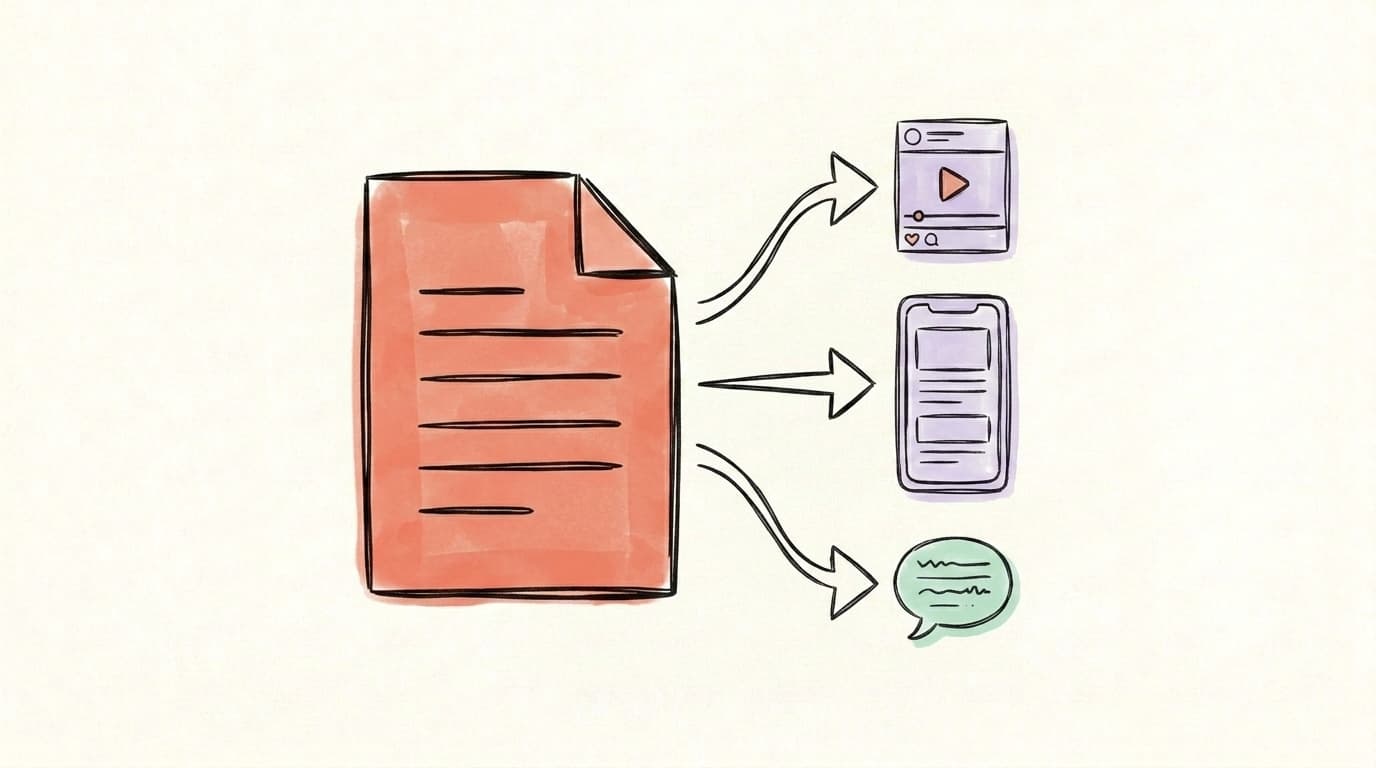
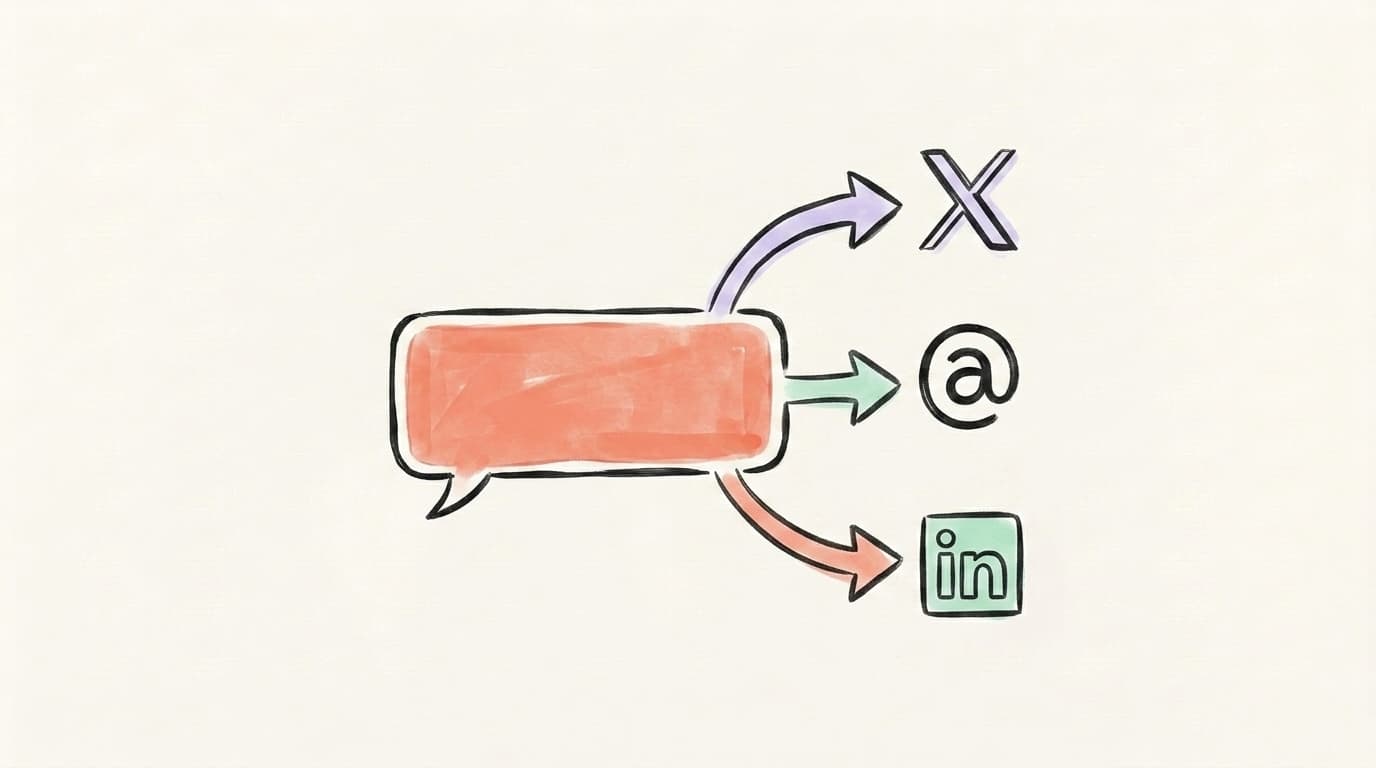
Writing the blog post is half the job. The other half is repurposing it into the social posts that actually drive traffic back to it. The workflow that works in 2026 looks like this: draft the blog post with your AI generator of choice, edit it down to publishable quality with the humanization passes above, publish it, then feed the published post into a separate AI tool that extracts the key insights and rewrites them as native posts for LinkedIn, X, and Threads. The mistake most bloggers make is dumping the blog URL on social with a generic "new post is up" caption — that approach almost never converts, because nothing in the post itself competes with what's already in the feed. The fix is treating each platform as its own content surface: LinkedIn wants a multi-paragraph narrative version, X wants a thread that teases the core insight, Threads wants something conversational. We covered the full mechanics in our guide on how to repurpose blog content for social media — it walks through the platform-specific reformatting that makes one blog post turn into a week's worth of social content.
Write a blog post, then repurpose it into social content with Postory
If you're using an AI blog post generator, the next bottleneck is turning that 1,500-word post into LinkedIn posts, X threads, and Threads posts that actually drive readers back to it. That's exactly what Postory is built for. You drop in your blog post (or any source content), and Postory's AI post writing drafts platform-native versions for LinkedIn, X, and Threads — written in your voice, formatted for each feed, then ready to ship through multi-platform publishing on a single schedule. It's the second half of the workflow most AI blog tools leave you to handle manually.
Try Postory free — write once, publish everywhere, without the copy-paste tax.
FAQ
Q: What is the best free AI blog post generator?
Copy.ai's free plan (2,000 words/month) and Writesonic's free plan are the two strongest free options to evaluate in 2026. For pure free-with-prompting, ChatGPT's free tier (GPT-5 mini) or Google's Gemini 3.1 work fine — you just lose the SEO research layer. Most "free" tools cap output quality on the lowest plan, so expect to upgrade once you're serious.
Q: Can AI write a blog post that ranks on Google?
Yes, AI-assisted blog posts rank on Google constantly, but most top results still skew human. Originality.AI's ongoing study of Google search results found AI-generated content peaked at 19.56% of top 20 results in July 2025 and settled around 17.31% by September 2025 — and dropped further after the March 2026 core update cracked down on scaled abuse. The posts that do rank are the ones with original insights, accurate information, clear E-E-A-T signals, and value beyond what's already on the SERP. Pure AI output without editing rarely ranks for competitive keywords.
Q: Is ChatGPT good enough for blog posts?
ChatGPT is good enough for most blog posts if you know how to prompt it. With a custom GPT running on GPT-5 or GPT-5.5 — containing your brand voice, style guide, and a few example posts — you can produce drafts comparable to what Jasper or Writesonic generate at 2-3x the price. You lose the SEO research layer (live SERP analysis, keyword scoring) — for that, pair ChatGPT with a separate research tool like Ahrefs or Frase.
Q: Will Google penalize my site if I use AI?
No, Google does not penalize sites for using AI. Google penalizes low-quality, unhelpful content regardless of how it's produced. AI-generated posts that demonstrate expertise, provide original value, and serve the reader rank fine. AI-generated thin content produced at scale without human review is what gets penalized — and the March 2026 core update made that distinction clearer.
Q: What's the difference between an AI blog writer and an AI content generator?
The terms are mostly interchangeable in marketing, but technically: an AI blog writer is purpose-built for long-form articles (1,000+ words, structured for SEO), while a general AI content generator covers shorter formats too — social posts, ad copy, email subject lines, product descriptions. Tools like Jasper and Copy.ai are full content generators with a blog writer module. Tools like Frase and Surfer are SEO-first blog writers with limited support for shorter formats.
Q: How long should an AI-generated blog post be?
Match the length to the search intent, not to the AI's defaults. Most AI generators default to 1,200-1,500 words, which is fine for informational queries. Comparison and "best of" posts often need 1,800-2,500 words to cover competitors. How-to tutorials should be exactly as long as the steps require — padding hurts ranking. Look at what's currently ranking for your target keyword and write to match or beat that depth, not to hit an arbitrary word count.
Q: Should I disclose that my blog post was written with AI?
There's no legal requirement to disclose AI use for most blog content, and Google doesn't require it. Some publishers and platforms have their own policies — check before submitting guest posts. Best practice for credibility: if a post is mostly AI-drafted with light editing, consider disclosing. If a human meaningfully wrote and edited it with AI assistance, treat it the same as using spell-check — no disclosure needed.
Related articles
MCP for Social Media: How It Changes Content Workflows
Model Context Protocol lets Claude and ChatGPT plug straight into your social tools. Here's how MCP changes the way you create and publish content.
Jun 30, 2026
Claude for Social Media: When It Beats ChatGPT
An honest, task-by-task look at when Claude beats ChatGPT for social content — long-form voice and nuance versus raw speed and breadth.
Jun 29, 2026
ChatGPT for Social Media: A 7-Workflow Playbook
Seven copy-paste ChatGPT workflows for X, Threads, and LinkedIn — from turning a URL into multi-platform posts to drafting replies that sound like you.
Jun 29, 2026