Appeal a suspended X or Threads account
An AI assistant for suspended X/Twitter and Threads accounts, built on our research into real cases. It writes every appeal, tracks every reply and tells you what to send next.
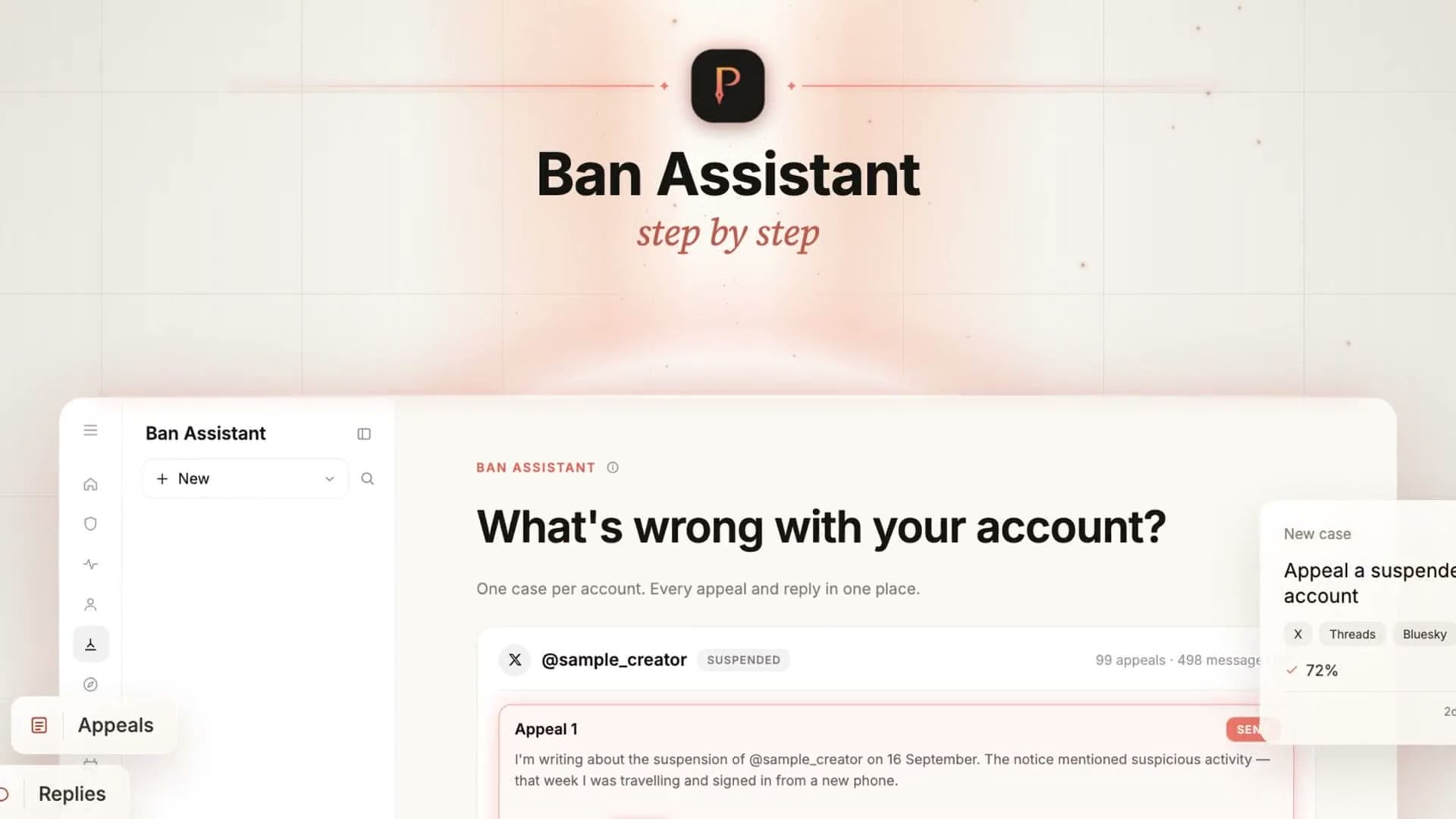
One appeal case, from notice to reply
- Case opened
Tell it what happened
Create a case with the platform, your handle and what the notice said. One case per account.
- Appeal 1 · sent
It writes your appeal
Written the way appeals that worked in real cases were written. You send it yourself, then mark it sent.
- X replied · denied
Paste the platform’s reply
Paste it or drop a screenshot. It reads what they decided and what they want from you — and which kind of denial it is.
- Appeal 2 · draft
The next appeal answers it
A new argument, never a resend. The case keeps every letter and reply.
Alongside every case
Reminders by email, Telegram or in-app.
Drop a screenshot of their reply — it’s read for you.
Can you actually sign in?
X has sent “restored” emails to accounts still suspended. The case stays open until you confirm you can sign in.
What our research taught it
Source: Observed in cases
A resent letter gets auto-rejected, so every appeal argues something new.
Users report identical text drawing instant template rejections. How often you appeal matters less than whether each letter says something new.
Source: Postory research
Answer their last reply, not the original ban.
If they cited a rule, address it; if they asked for something, supply it. A letter that ignores their reply wastes an attempt.
Source: Observed in cases
On X, an automated denial and a support-team denial need different replies.
After an automated denial, ask for human review; after a support-team denial, send only something genuinely new. Observed, not an X rule.
We keep researching which appeals work and which don’t, and the assistant gets better as we learn.
Ask a question first
Ask about a suspension, shadowban, restriction or low reach. No case needed.
- You send every appeal yourself.
- We never ask for your password, login code or ID.
- Nobody can guarantee an account back.
Restricted rather than suspended — still signed in, reaching fewer people? Ask the assistant, or check your reach first.
Suspension appeal questions
Q01Where does the advice come from?
From our research into real X suspension and restriction cases: which appeals were accepted, which were not, and what X asked for. We keep tracking what works, and the assistant improves as we learn. It cannot change or guarantee a platform’s decision.
Q02How do I appeal a suspended X account?
X takes appeals through its own form. Create a case and Ban Assistant writes the appeal from what happened and the notice you were shown. You send it, mark it sent, and paste X’s reply into the case — the next appeal is written from the whole history.
Q03What should I write in an X appeal?
Something short, factual and calm: which account, what happened in your own words, and what you have done since. Ban Assistant drafts it from the notice you were shown and the case history. Every later appeal answers X’s last reply with a new argument instead of resending the first. No wording can promise that X accepts it.
Q04X suspended my account for no reason — can I still appeal?
Yes — through X’s own appeal form, signed in to the suspended account. Ban Assistant writes the appeal from what happened and what the notice said, and keeps X’s reply in the case for the next one. Nobody can guarantee the decision.
Q05Does Ban Assistant work for Threads or Bluesky?
Threads, yes, when you have a place to submit a written appeal. First check whether the suspension notice or Account Status offers a text field; a review button may lead only to identity verification. If you are in the EU, you can also file a free written dispute with Appeals Centre Europe, unless the suspension is about bots, fake accounts, hacking or impersonation. Ban Assistant checks your route before opening a paid case, helps draft for that route, and tracks replies you add. If neither written route is available, you can still ask the assistant for guidance. An Instagram appeal form is not guaranteed for a Threads-only suspension. Bluesky is coming soon; a Bluesky suspension is appealed in the Bluesky app. Threads suspensions explained.
Q06How long does an X appeal take?
No platform commits to a review time, so we don’t quote one. The case records when each appeal went out and reminds you — email, Telegram or in-app — when there is a next step to take.
Q07X emailed that my account is restored, but I still can’t sign in. Now what?
X sometimes sends that email while the account is still suspended. Paste it into the case: the case stays open until you confirm you can sign in, and the assistant tells you what to do next.
Q08What does it cost?
Questions are paid per message. A suspension case is paid once per account and includes a set of assistant-written appeals and messages; a top-up is added only if you press the button. Credits, no subscription — the exact price is shown before anything is charged. See pricing.
Know your next step
Ask a question, or open a case and let the assistant write every appeal and keep every reply.