
How to Fix a Twitter Search Suggestion Ban (or a Full Search Ban)

Start with the recovery scan
It runs the logged-out test for you and tells the two apart: search ban, search suggestion ban, ghost ban and reply deboost probed on live data — plus the cause and your step-by-step fix.
A search suggestion ban on Twitter/X hides your @handle from the autocomplete dropdown, though you're still findable if someone types your handle in full. A search ban removes your posts from search results entirely, even for their exact text. Confirm which one you have from a logged-out browser, then fix the trigger, not the symptom.
Almost everything written about this treats "search ban" and "search suggestion ban" as the same thing. They aren't. One is a mild demotion that users report clearing in days. The other pulls your content out of X's search index and takes real work to undo. Applying the wrong fix wastes the window where fixing it is easy.
This guide separates the two, shows you the two-minute test that tells you which you're dealing with, and gives you the fix for each.
Prefer to watch? Here's the whole thing — the test, the triggers and the fix — in under three minutes:
Search ban vs search suggestion ban on Twitter: what's the difference?
The difference is where you disappear. A search suggestion ban removes your account from the typeahead dropdown and the People/Accounts tab: someone typing the first few letters of your handle won't see you offered, though they'll still find you if they type it out in full and hit enter. A search ban operates one layer deeper. Your posts stop being returned by search at all, including a search for the exact text of a post you published an hour ago. The first one costs you discovery from people who half-remember your name. The second one costs you every impression that would have come from hashtags, keyword searches and topic browsing. X doesn't publish a severity ladder for the two, but the consistent read among people who track these restrictions is that a suggestion ban shows up first, and the behavior behind it escalates into a full search ban if it keeps going.
What a search suggestion ban does to your account
- Your @handle stops appearing in X's search autocomplete as someone types.
- You drop out of the People (mobile) / Accounts (desktop) results tab.
- Your profile still loads, and typing your handle in full still finds you.
- Your posts stay in search results; only you as an account are demoted.
What a search ban does to your account
- Your posts are missing from the Latest and Top search tabs.
- Searching the exact wording of your own recent post returns nothing.
- Hashtags you used don't surface your post to non-followers.
- Your profile timeline still loads; the posts exist, they're just unindexed for everyone else.
- This is what most people actually mean when they say they got shadowbanned.
These two are the search-side restrictions. X's visibility filtering also covers ghost bans and reply deboosting, and if you want the whole map before you start testing, our Twitter shadow ban guide walks through all four.
How do you tell which one you have?
You test from the outside, logged out, because that's the only view where these restrictions are visible. Logged into your own account, X shows you your own posts in search regardless of any filtering, so people go weeks without noticing. Open a private or incognito window, don't sign in, and run the three checks below in order. Each one isolates a different layer, so the pattern of passes and fails tells you which ban you're on. Do it on a desktop browser rather than the app, since the app can serve cached results and muddy the answer. Run all three even if the first one passes. A clean autocomplete result paired with a failing post search is the classic signature of a search ban with no suggestion ban attached, and it's the combination people misdiagnose most often.
Profile analysis
See how your profile really scores
Postory analyzes your X, Threads or Bluesky profile and shows exactly what to fix to get more reach. Audits run on credits, bought in packs.
- Type your handle slowly into X's search box. Does your account appear in the dropdown before you finish? If not, and if you're also absent from the People/Accounts tab after hitting enter, that's the signature of a search suggestion ban.
- Search your handle in full and press enter. If your profile shows up under Accounts, suggestions are the only thing affected. If it doesn't, the restriction is broader.
- Copy an exact, distinctive phrase from a post you published in the last 48 hours and search it in quotes. Check the Latest tab, not Top. Nothing there points to a search ban.
Two honest caveats. Search indexing isn't instant, so give a post a few hours before you judge it. And nobody outside X can see the actual flag on your account — every checker, ours included, infers your status from this same logged-out view. If you'd rather not run it by hand, our free Twitter shadowban test runs all four shadowban checks, including the two this manual test doesn't cover, and shows you the raw evidence behind each verdict instead of a bare pass/fail.
Why did X search ban you? The documented triggers
Unlike most of this topic, the triggers aren't guesswork — X publishes them. Its search rules and restrictions page states plainly that X "filters search results for quality posts and accounts" and that material which "jeopardizes search quality or creates a bad search experience for other people may be automatically removed from X search." The same page lists the behaviors that get accounts pulled: repeatedly posting duplicate or near-duplicate content or links, abusing trending topics or hashtags, sending automated posts or replies, using bots to post keyword-triggered messages, posting similar messages across multiple accounts, and aggressively following and unfollowing people. X adds that it "may automatically remove accounts engaging in these behaviors from search (or even suspend in some cases)", which is the platform saying, in its own words, that search filtering and suspension sit on the same escalation path.
Two details from that page get missed constantly. First, third-party tools count: X says your account may be filtered "if you are logged into a third-party application that is updating many accounts with similar or duplicate content." Second, follow churn is on the list by name: the rapid follow-then-unfollow loop that growth guides still recommend is a documented search-filtering trigger, not folklore.
There's also a mundane category that has nothing to do with punishment. X's help article on search says Accounts search "surfaces results with preference to those who have a complete name, username, and bio," that profile edits can take a few days to appear, and that protected posts, an unconfirmed email address, or content caught by safe search mode will keep your posts out of results. The same page also asks whether you're using X actively, and says it's important to post, repost and mention regularly — a dormant account is simply weaker in search than an active one. Rule all of that out before you assume you've been punished.
How do you fix a search suggestion ban on X?
Stop the behavior, clean the evidence, then wait. There is no button, no form, and no appeal that applies here. These are automated filters that periodically re-evaluate your account, so your only lever is changing what they see when they next look. Work in this order, because the settings check at the top costs you nothing and resolves it outright for some accounts. Nothing below asks you to delete your account, buy a "shadowban removal service," or start over on a fresh handle. And resist the urge to do all of it in one frantic hour: a sudden burst of mass deletions and setting flips is itself an unusual-activity signal. Space the steps out over a day, then leave the account alone and let the filter re-run against a quieter version of your account.
- Check your sensitive-media setting. Settings → Privacy and safety → Your posts. If "mark media you post as containing material that may be sensitive" is checked, X's safe search mode filters that content out of results by default. Uncheck it if it doesn't apply to you.
- Delete posts carrying a sensitive-content label, plus reposts of accounts that are themselves restricted. Heavy engagement with filtered accounts is one of the commonly cited ways the restriction spreads.
- Cut anything automated. Revoke unfamiliar app access under Settings → Security and account access → Apps and sessions, and stop any auto-reply or keyword-posting tool.
- Stop follow/unfollow churn immediately. It's on X's own list.
- Fill in your profile completely: display name, bio, avatar. X says it prefers complete profiles in Accounts search.
- Post normally, at a human pace, for several days. Original posts, real replies, no link dumps, no repeated copy.
And if it's a full search ban?
Same list, longer patience, plus one addition: audit the last two weeks of posts for duplicated text and repeated links, and delete the worst offenders. Full search bans track content patterns more than profile signals, so the cleanup matters more than the settings. If it's been two weeks of clean behavior with no change, treat it as an account-level trust problem rather than a content one. Our X recovery scan digs into why (content analysis, who you follow, cadence and trust signals) and returns a prioritized recovery plan. And if your posts aren't just unindexed but your account is genuinely gone, you're dealing with something else entirely: read what to do when your Twitter account is suspended.
How long does a search suggestion ban last on Twitter?
X publishes no duration for either restriction, so treat every number you see (including the ones below) as community-reported rather than documented. The consistent pattern across user reports and checker-tool write-ups is that suggestion bans are the shortest-lived restriction, commonly lifting within a few days of the trigger stopping, while full search bans more often run one to two weeks. The one timing detail X does document is adjacent and useful: profile changes "may take a few days" to show up in search, so if your fix was completing your bio, don't panic at day two. What determines the length isn't the clock. It's whether the behavior actually stopped. Every day you keep churning follows or running an automated poster resets the evaluation, so the same people who report "it never lifts" often clear it within days once they genuinely stop.
What doesn't fix a search ban?
Plenty of widely repeated advice does nothing, and some of it makes things worse by burning the days you should have spent behaving normally. Deleting your whole timeline doesn't help — the filter reads your recent behavior, not your archive, and a mass deletion is itself anomalous. Deactivating and reactivating doesn't reset anything; the account state persists. Premium boosts reply ranking, but it doesn't lift a search filter, and a paid account posting the same spam still gets filtered. Changing your handle doesn't shed the restriction, and it costs you every link and mention that pointed at the old one. There is also no support form for this: X's appeal flows cover enforcement actions against your account, not automated search quality filtering. Skip all of it. The only two things that reliably work are removing the trigger and waiting it out.
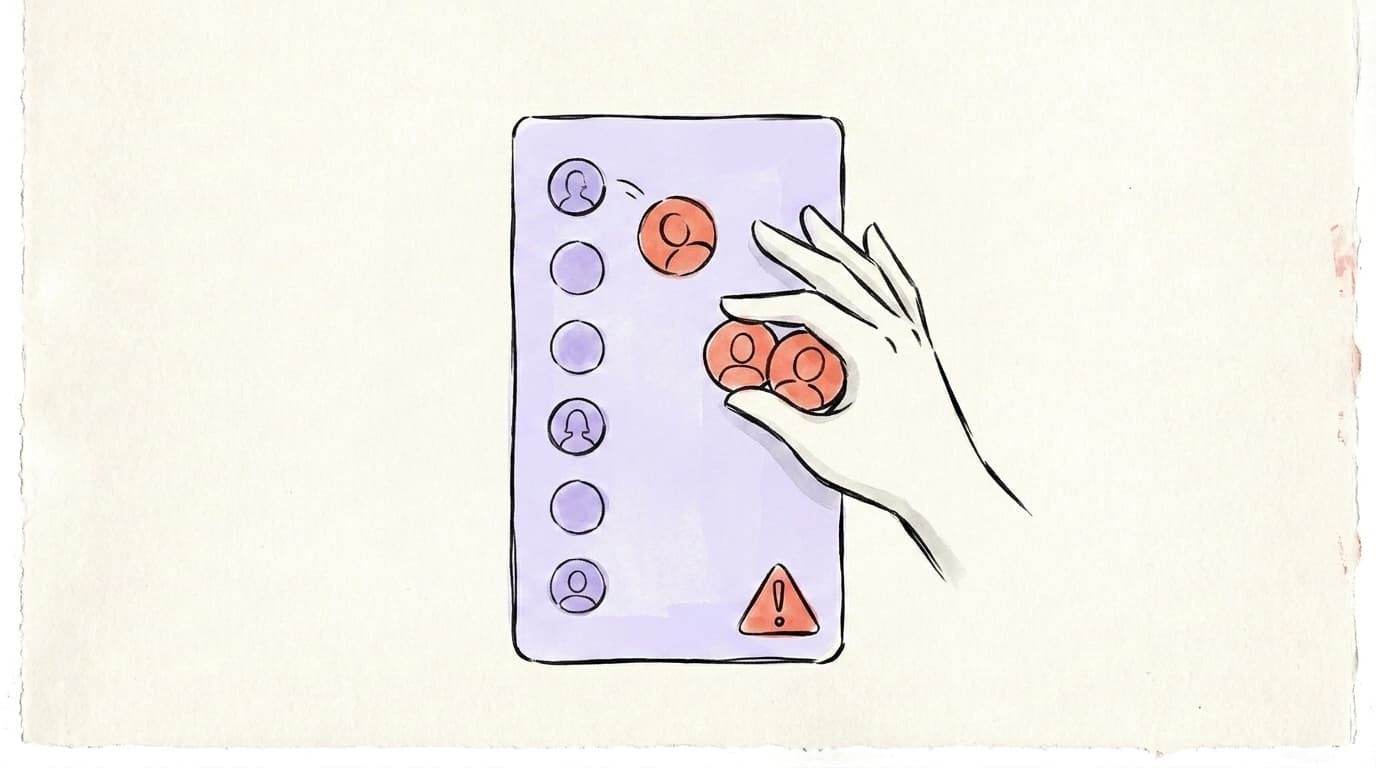
How do you stay out of it once you're back?
Treat the trigger list as an operating rule, not a one-time cleanup. The two behaviors that put most accounts back in search jail are automation and follow churn, and both are easy to keep in check once you've decided to. Post original wording rather than the same line recycled across days, keep replies substantive instead of one-word engagement bait, and don't run keyword-triggered posting tools. If your posts really do need scheduling, use a tool that publishes real posts on a normal cadence: X's list targets duplicate content and automated replies across accounts, not scheduling your own unique post. Space your posts unevenly, vary the openings, and reply to people who reply to you. It also helps to know what X's ranking system rewards in the first place, which we break down in our guide to the X algorithm.
Following-list hygiene deserves its own note, because X names aggressive follow/unfollow as a trigger. If you've inherited a bloated following list from an old growth phase, or you've run into X's follow limit and can't follow anyone new, thin it out gradually, over weeks, not in one session. Our Twitter mass unfollow check finds the accounts worth dropping (dead, suspended, bot-like) and hands you the list; X doesn't let third-party apps unfollow on your behalf and we never ask for permission to change your account, so the taps happen on X, at your pace. Knowing exactly who to drop is what lets you clean up slowly instead of dumping hundreds of accounts in an afternoon and tripping the very filter you're escaping. Some of the dead ones X may clear on its own eventually — does X delete inactive accounts covers what the policy actually says. Managing this across more than one network? The same principles carry over — see our cross-platform shadow ban guide.
Check which restriction you actually have with Postory
Guessing which of the four visibility restrictions is on your account is the slowest way to fix it. Run the free X shadowban test: enter your handle, no login, and it checks search ban, search suggestion ban, ghost ban and reply deboosting from the logged-out outsider view, showing the evidence behind each verdict. If it comes back dirty and you want the full picture, the one-off recovery scan goes deeper and returns a prioritized fix list as an emailed report.
Try Postory free — plan and publish to X, Threads and Bluesky at a human pace, without the patterns X filters for.
FAQ
Q: What is a Twitter search suggestion ban?
A Twitter search suggestion ban is a visibility restriction that removes your @handle from X's search autocomplete dropdown and the People/Accounts results tab. Your profile still loads and direct handle search still finds you; you just stop being suggested to anyone typing a partial name. It's the mildest of X's four shadowban types.
Q: How do I get out of a search suggestion ban?
Stop the triggering behavior first: revoke automation tools, halt follow/unfollow churn, and uncheck the sensitive-media setting under Privacy and safety if it doesn't apply to your content. Then delete any posts carrying a sensitive-content label, complete your profile, and post normally for several days while the filter re-evaluates you.
Q: Why am I search banned on Twitter?
X's search rules page lists the documented causes: duplicate or near-duplicate posts and links, hashtag or trend abuse, automated posts and replies, bot-posted keyword messages, similar messages across multiple accounts, and aggressive following and unfollowing. Being logged into a third-party app that posts duplicate content across many accounts can also filter you.
Q: How do I get off the search ban on Twitter?
There's no appeal form for search filtering. It's automated, so you clear it by changing what the filter sees. Delete recent duplicate posts and repeated links, cut all automation, stop follow churn, and then post normally while the filter re-evaluates you; community reports put full search bans at one to two weeks. If nothing changes after that, the problem is account-level trust rather than individual posts.
Q: How long does a search suggestion ban last on Twitter?
X doesn't publish a duration. Community reports generally put suggestion bans at a few days once the trigger stops, and full search bans at one to two weeks. The clock effectively restarts every time the triggering behavior repeats, so the honest answer is "days after you actually stop," not a fixed window.
Q: Can I be search suggestion banned without being search banned?
Yes, and it's the most common pattern. Suggestion bans hit your account's discoverability while your posts stay fully indexed, so the logged-out test needs all three steps. Checking only autocomplete, or only post search, gives you half the picture.
Q: Does a search ban affect my followers?
No. X states explicitly that if you're filtered from search, your followers still receive your updates, and replies or mentions still reach the person you addressed. That's what makes it hard to notice: your engagement from existing followers looks normal while discovery from everyone else quietly goes to zero.
Related articles
X Account Locked vs Restricted vs Suspended: How to Unlock
Is your Twitter account restricted, locked or suspended on X? Tell which one from the screen you're seeing — and how to unlock yours.
Sep 8, 2026
X Account Suspended for "Inauthentic Behavior": What to Do
Your X account suspended for inauthentic behavior? What the label covers, why the filter misfires, and what this suspension needs.
Sep 8, 2026
Permanently in Read-Only Mode on X: What It Actually Means
Your screen says your account is permanently in read-only mode. Here's what X actually did — and what "permanently" changes.
Sep 5, 2026