 Tom Turcotte@TomTurcotteTech
I think this is a great feature, scheduling is one way to stay consistent and I know when I am not around I am using this tool. Great work Vadym supporting organic growth!
Share the page you read, or the text you selected. Send it, and the Postory Agent writes the post.
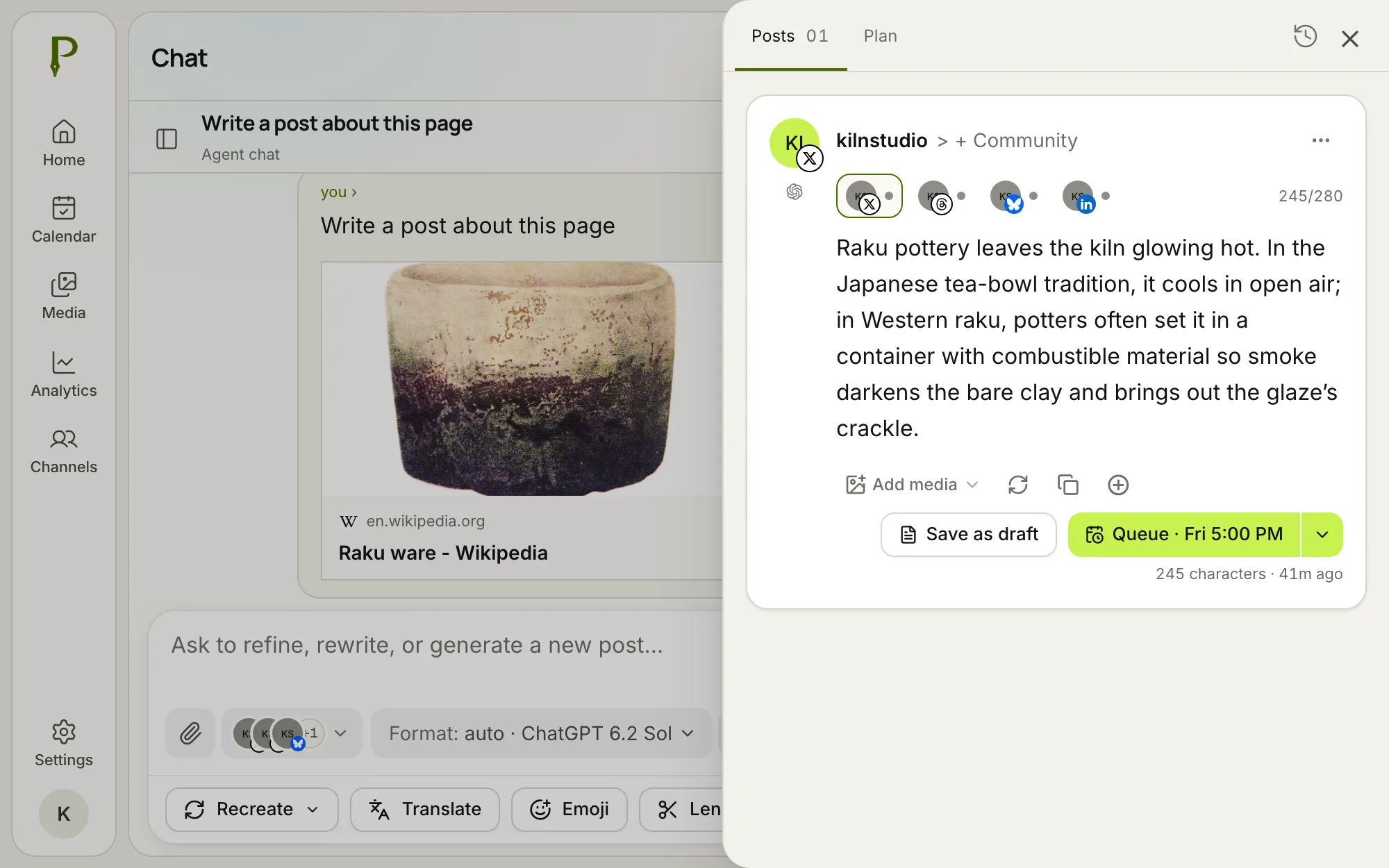
Select text to share just that. It reads nothing in the background, stores nothing.
Four steps in Chrome, once.
Keep the folder: Chrome runs it from there.
Download (.zip) ↓In chrome://extensions, top right.
Pick the unzipped folder.
Pin it from the puzzle icon. Click it on any page, or right‑click.
You pay for what the Agent writes and what you publish, from one credit pool.
Publishing costs 3 credits per post, per account.
Bigger packs carry bonus credits. See pricing →
Tom Turcotte@TomTurcotteTechI think this is a great feature, scheduling is one way to stay consistent and I know when I am not around I am using this tool. Great work Vadym supporting organic growth!
 Omar@omarvvvr
One of the coolest tool I ever used
 Moonfarm 🇸🇪@moonfarm_dev
Wow, Postory looks awesome, I really need a tool like this to save me time from managing all my social accounts!
 Ashish Kumar@afkashish
great feature Vadym, you just solved the lazy problem.
 Thomas Tao@Thomas_Tao_1
Telegram alerts are probably the stickier update here. A lot of tools only become part of the workflow when they show up in the place people already check without thinking.
 Pieter Bosma ⚡@pgbpgbpgbpgbpgb
Sweet man! That would be epic to explore.
 Jana@BratDotAI
This is one of the best uses of AI 🙌
Chrome 127 or newer, on a computer. Chrome on a phone runs no extensions.
Only the tab you click it on, at that moment: its address, its title and the text you selected. Nothing in the background. It stores nothing and sends nothing itself: it opens Postory in a new tab with what you shared.
Any web page. Chrome's own pages, the Chrome Web Store and files on your computer can't be shared; it tells you so.
Up to 10,000 characters. A longer selection is refused, never cut short.
X, Threads, Bluesky, LinkedIn, Mastodon and Telegram: one post fitted to each account you pick.
No. Postory opens with your page or quote in the message box. You send it, then edit the post and queue it, schedule it or keep it as a draft.
The extension is free. A message to the Postory Agent costs a few credits; publishing costs 3 credits per post, per account. See pricing →
Free for Chrome 127+. 20 welcome credits in Postory, no card.